






In this guide, we’ll demonstrate how to copy data from an original working key to a universal key using YANHUA NXP29XX Smart Key Reader and QNF32 test socket.
1. Identify key info
1). Insert the original car key into the reader, then press the T button once.
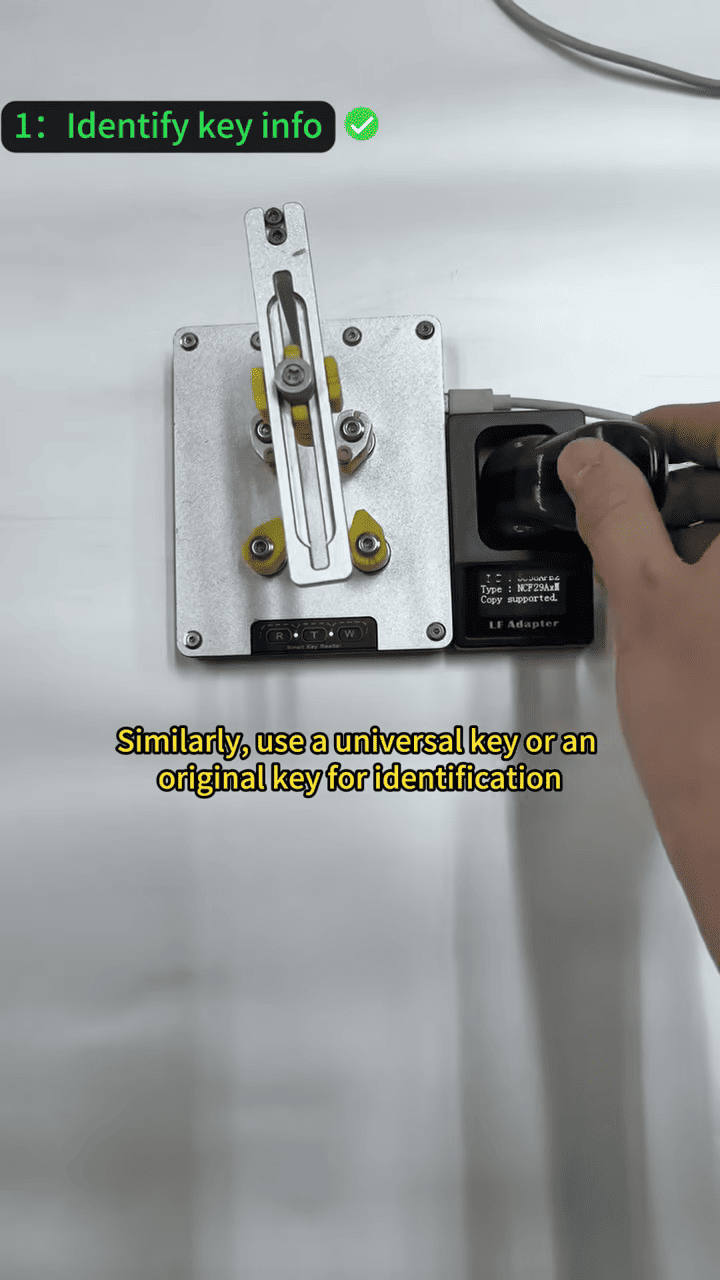
2). Check the key information displayed on the screen and confirm the information before proceeding.
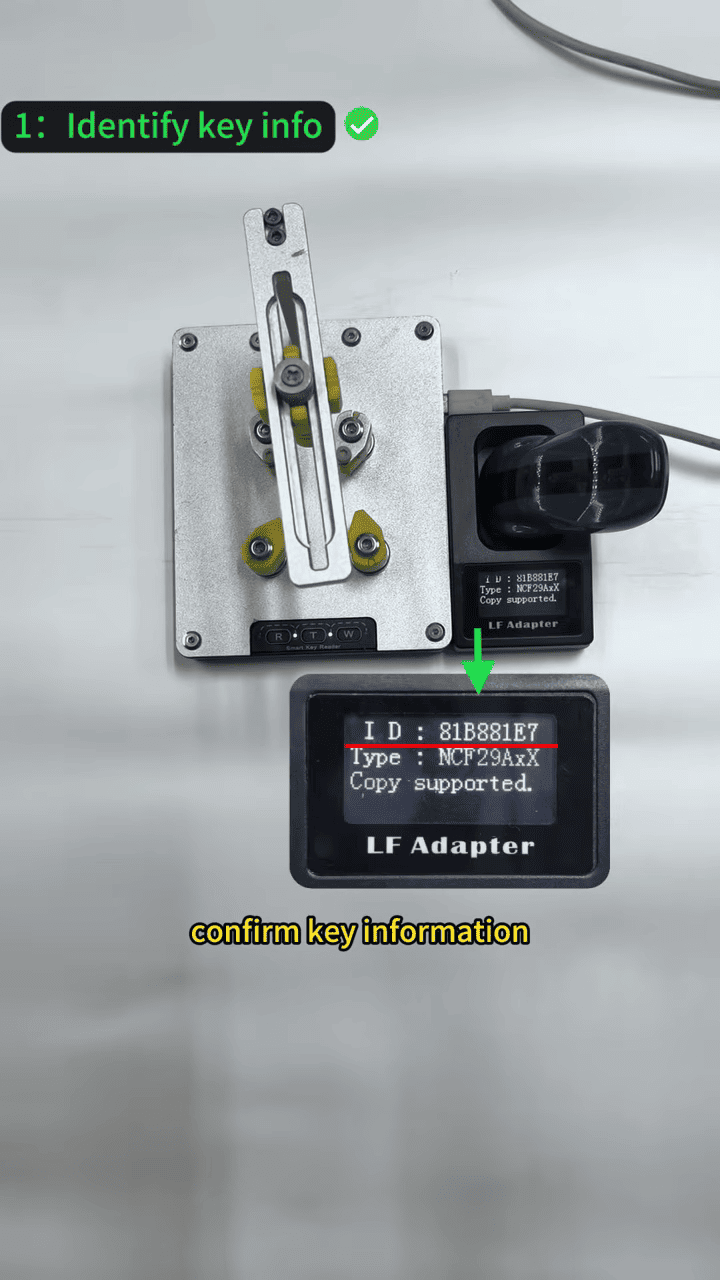
Note: The demonstration uses a universal key for the writing process, but a compatible universal key or original key can be used for identification.
3). Remove the original key shell, identify the chip’s pin numbers and Pin 1 location, then select a magnetic pillar with a screw and position it away from the key chip.
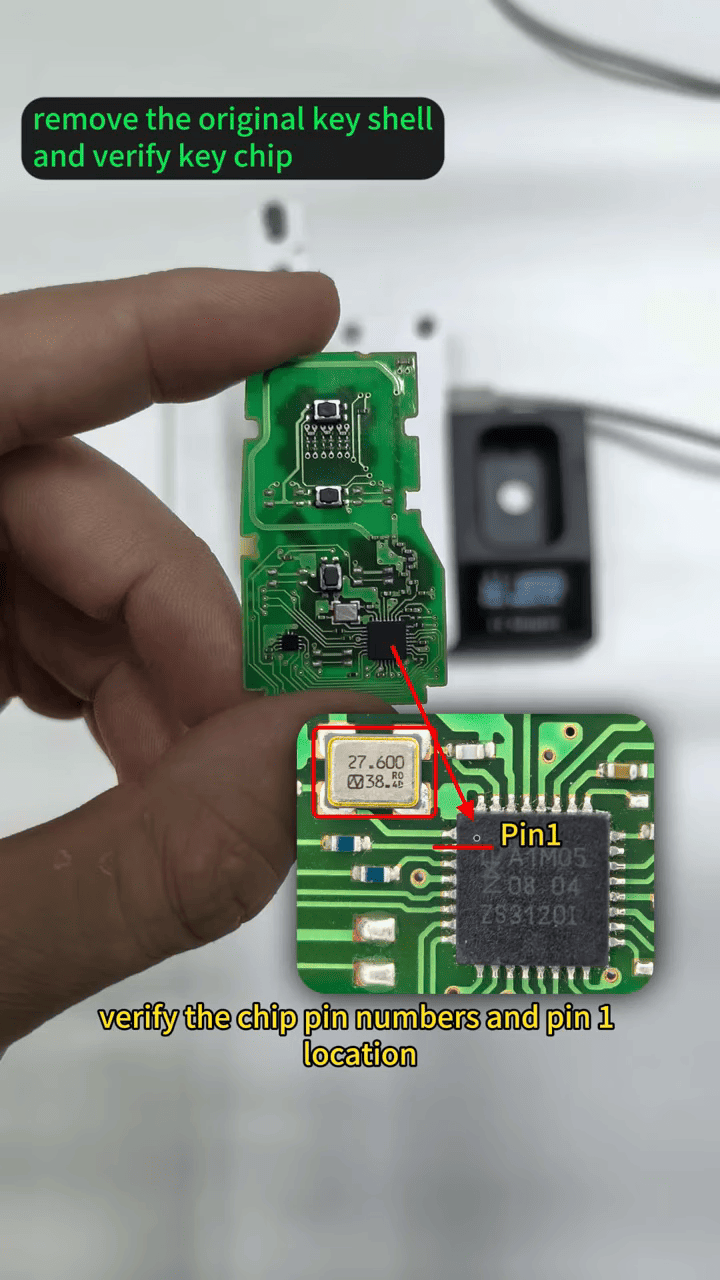
4). Place the key PCB on the smart reader, then tighten the screw and align Pin 1 of the chip with the front-left position, at last install the remaining magnetic pillars to secure the key PCB.
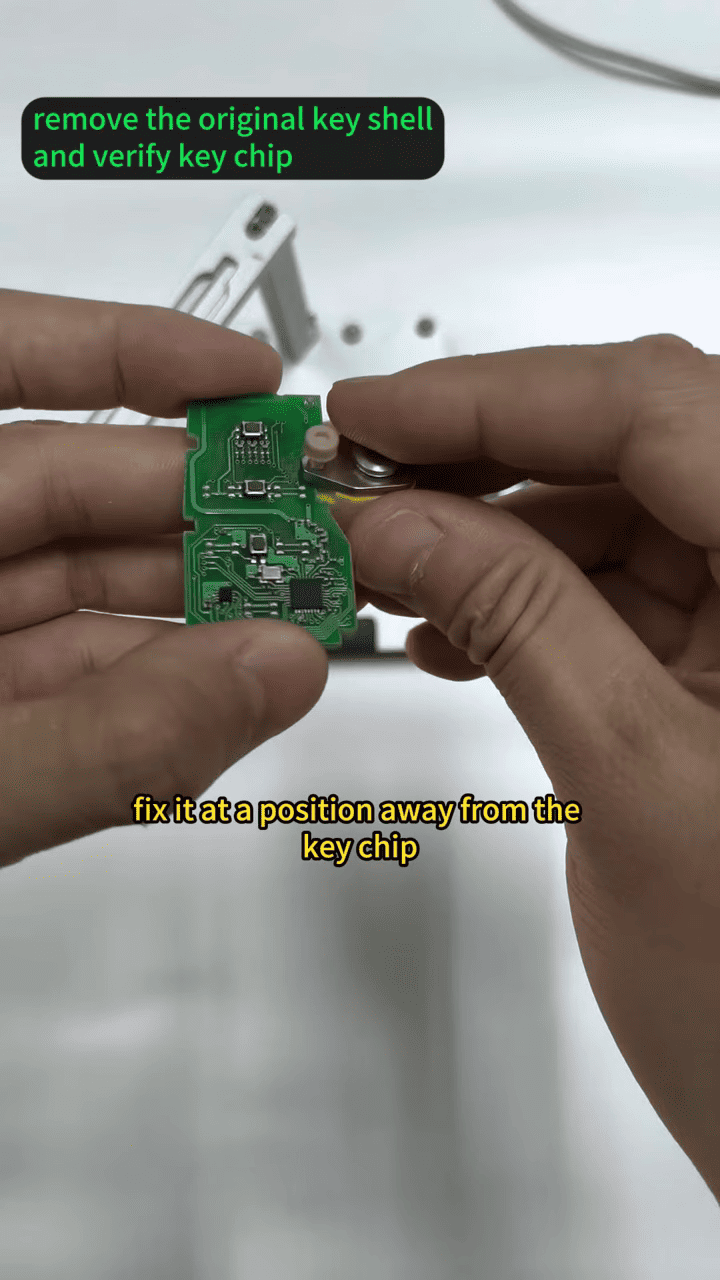
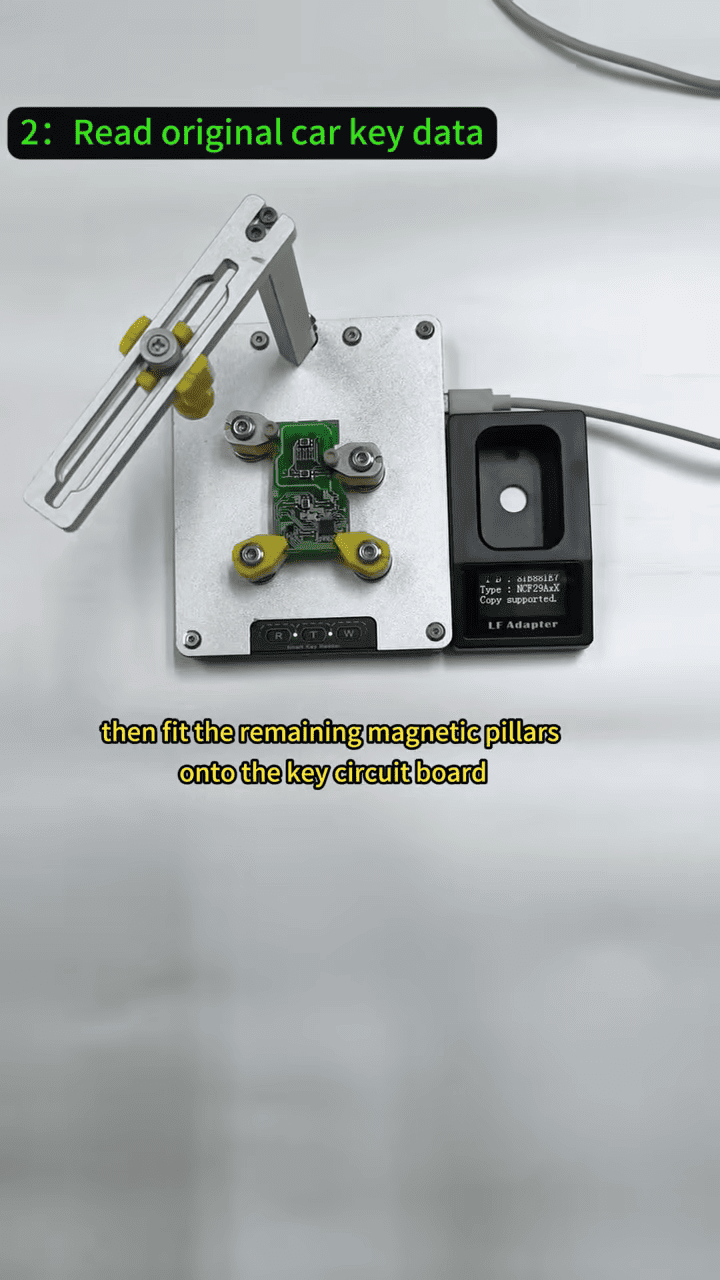
Note: Correct chip positioning is important for reliable contact during reading and writing.
5). Connect the QNF32 test socket to the YANHUA NXP29XX Smart Key Reader, then align the dot on the test socket with Pin 1 of the chip, next install the test socket onto the chip, and move the swing arm above the test socket cylinder.
6). Adjust the telescopic pressure rod until it aligns with the cylinder. Pull down the pressure rod and rotate it 90 degrees to secure the test socket.
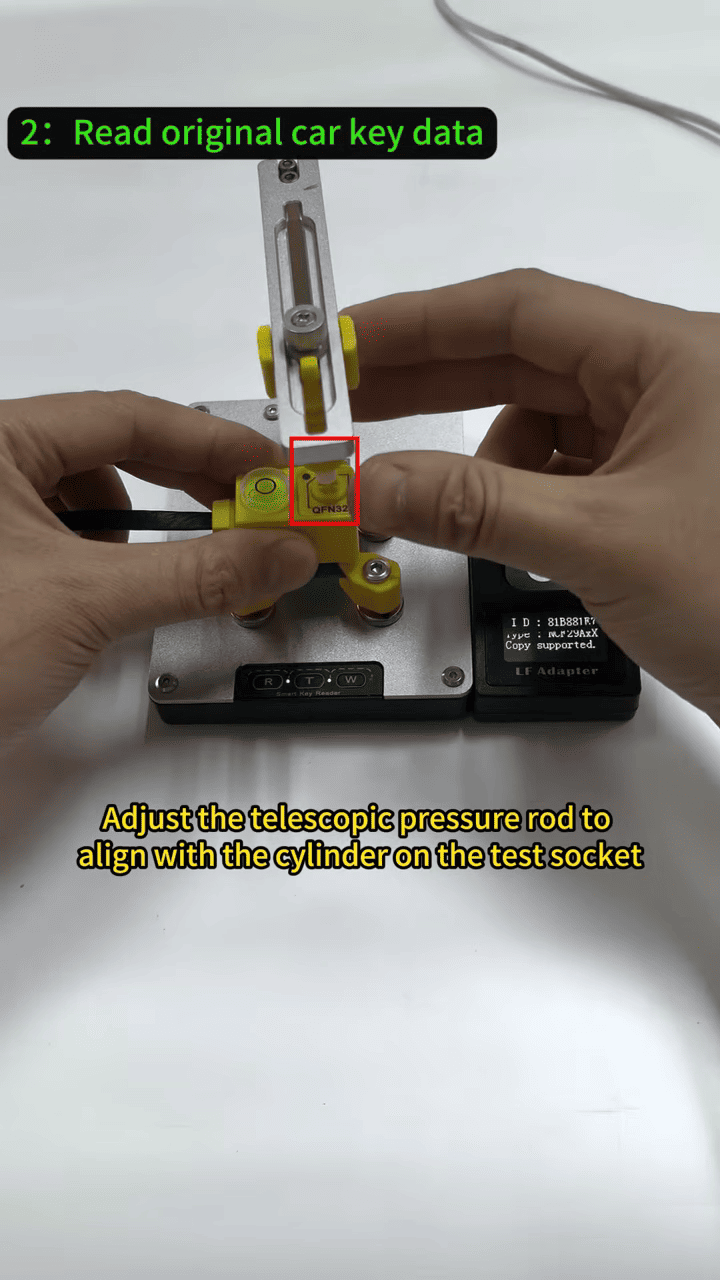
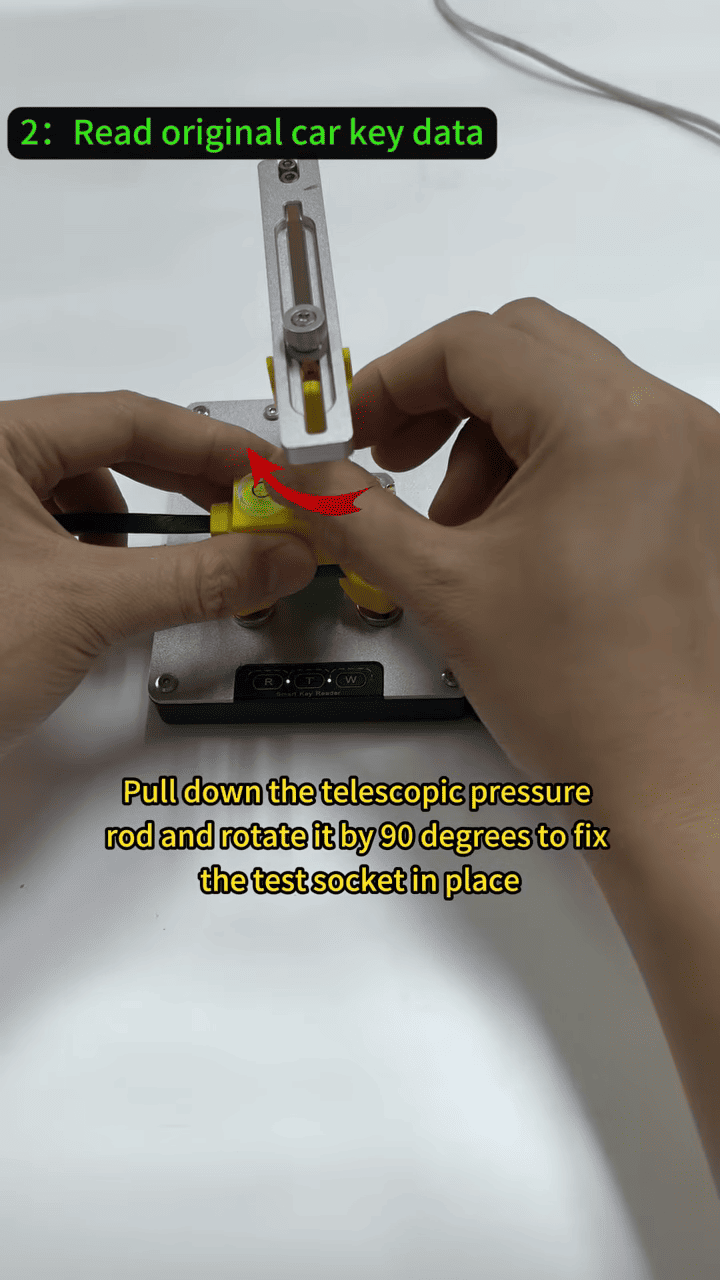
Double-check the Pin 1 alignment and socket positioning before reading the chip.
2. Read Data from the Original Key
Press the R button on the reader. Wait for the device to read the original working key data then check the screen for the successful reading message.
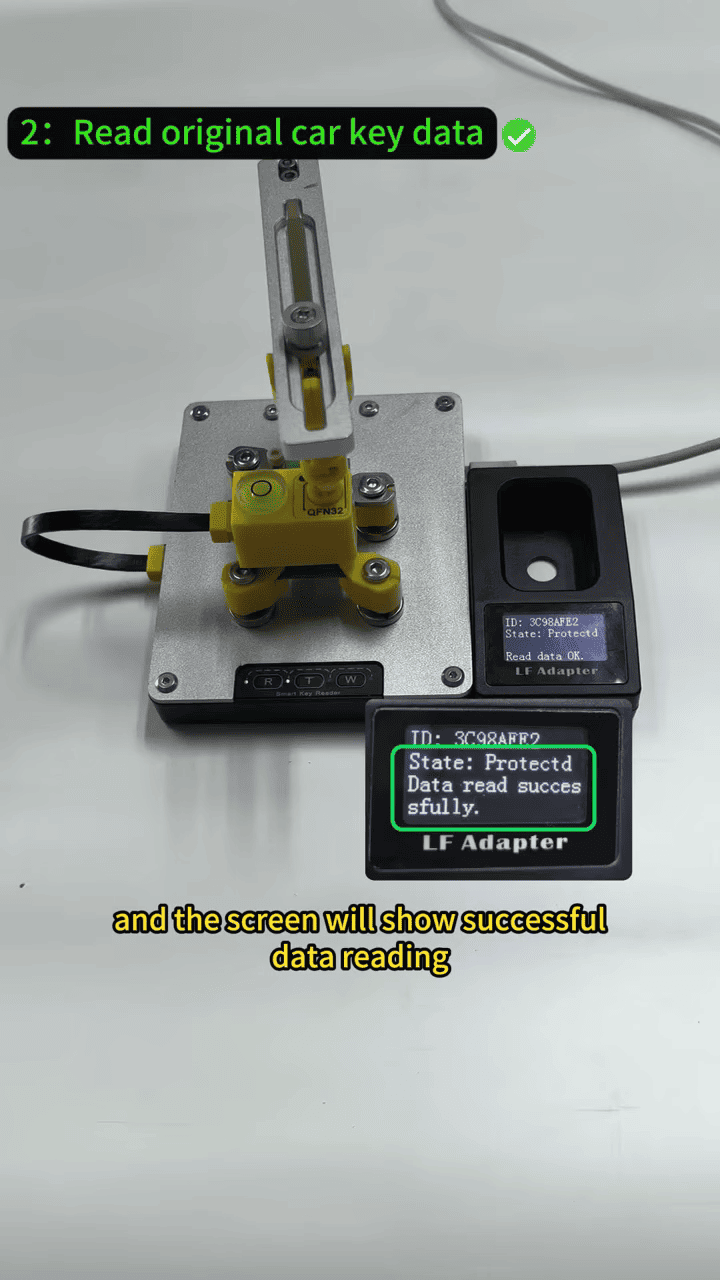
3. Write Data to the Universal Key
1). Remove the original key and prepare the compatible universal key and identify the chip’s Pin 1 position, then secure the universal key PCB using the magnetic pillars.
2). Align Pin 1 with the front-left position and install and secure the QNF32 test socket, following the same positioning procedure.
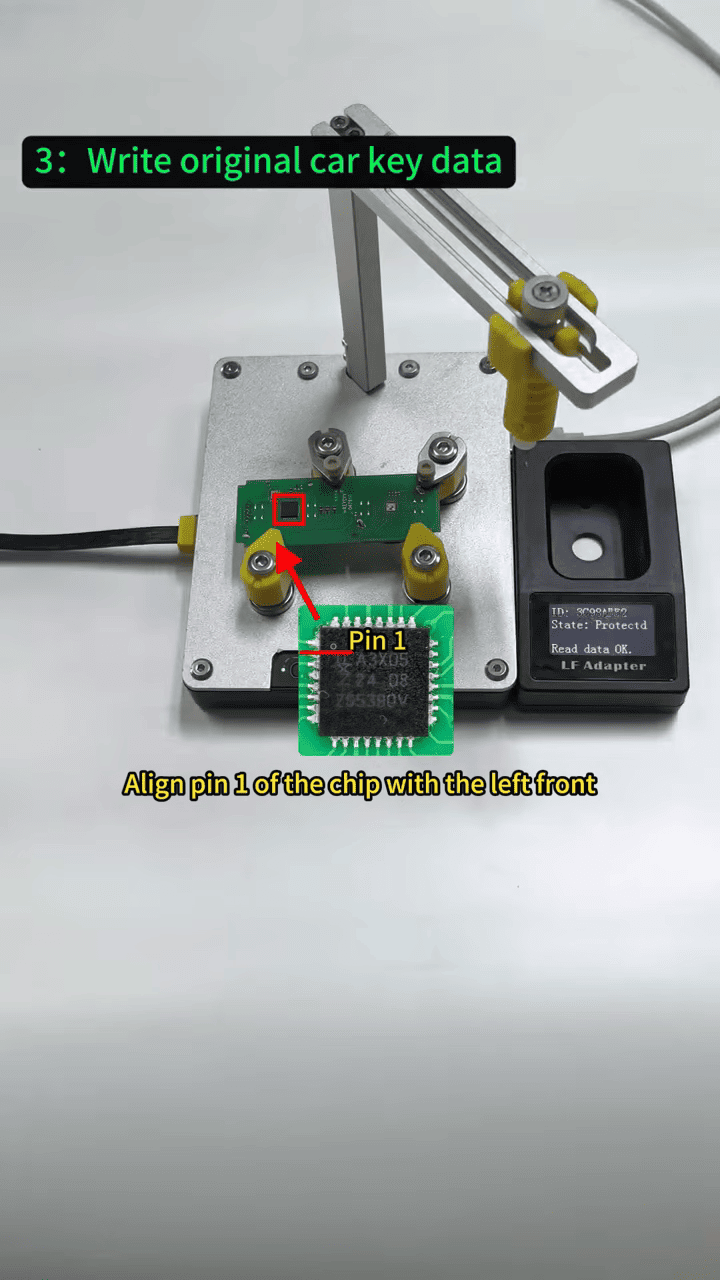
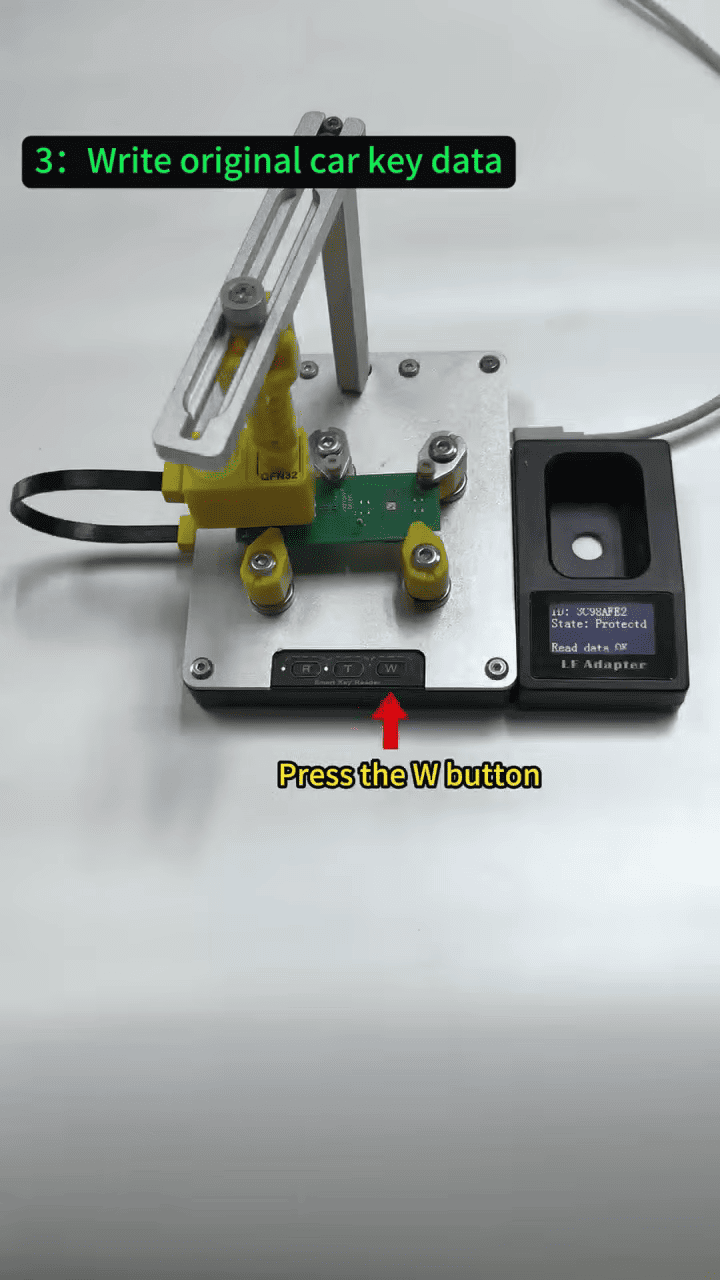
3). Press the W button to write the data, wait until the reader displays a successful writing message.
Next, place the universal key into the LF adapte, press the T button and Check whether the universal key ID after data writing is same as the original working key ID. If the IDs match, the key copying operation is complete.
Video guide
