
Recently, we tested EONEBOSS TLK1 on a 2025 Lexus OEM key and successfully completed the unlock and key adding process. Combined with KEYDIY APP, this solution makes Toyota Lexus smart key jobs much more practical for locksmith workshops.
1. Accessing the Lexus Smart Box
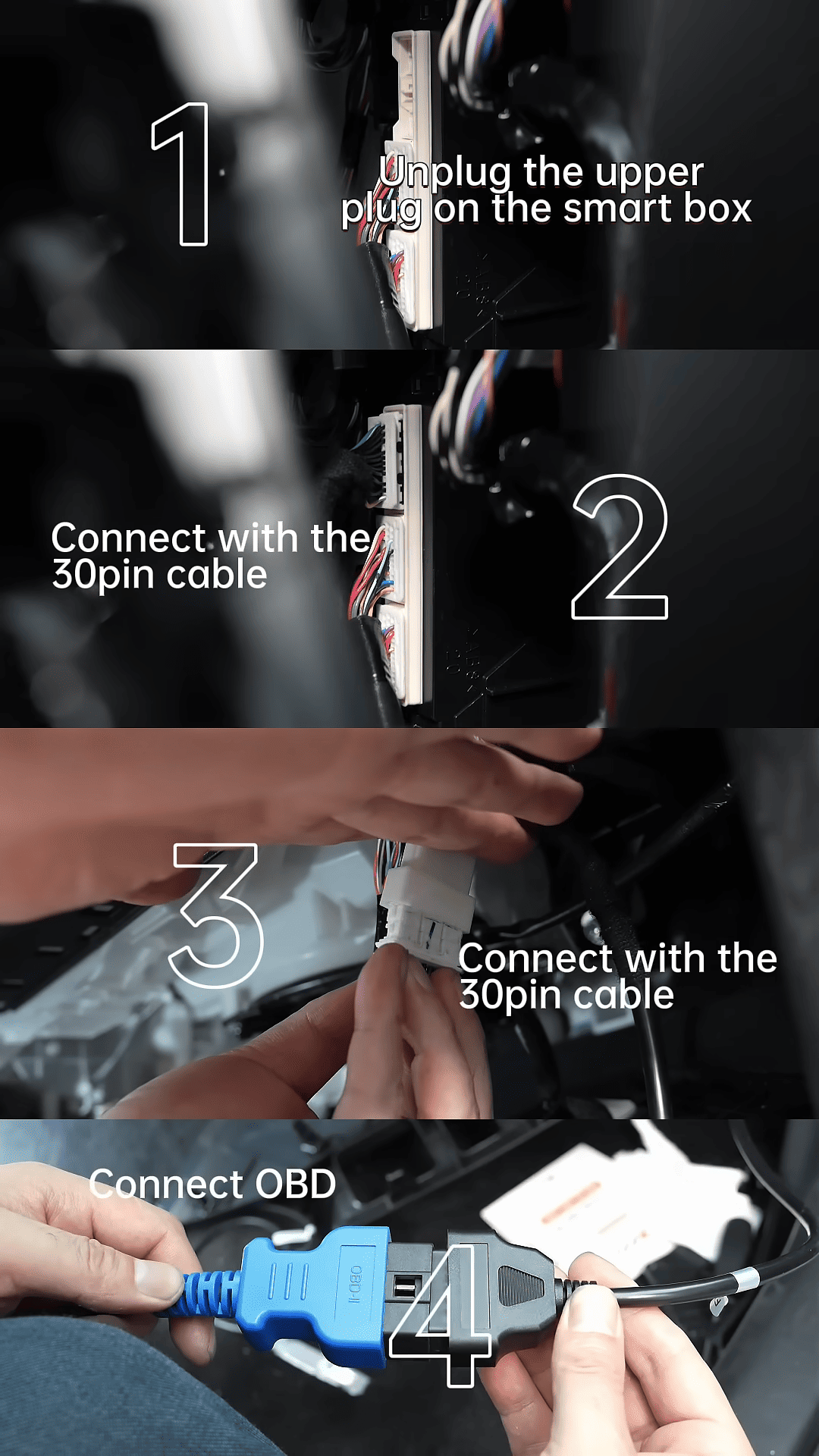
The process starts by removing the glove box and locating the white smart box module.
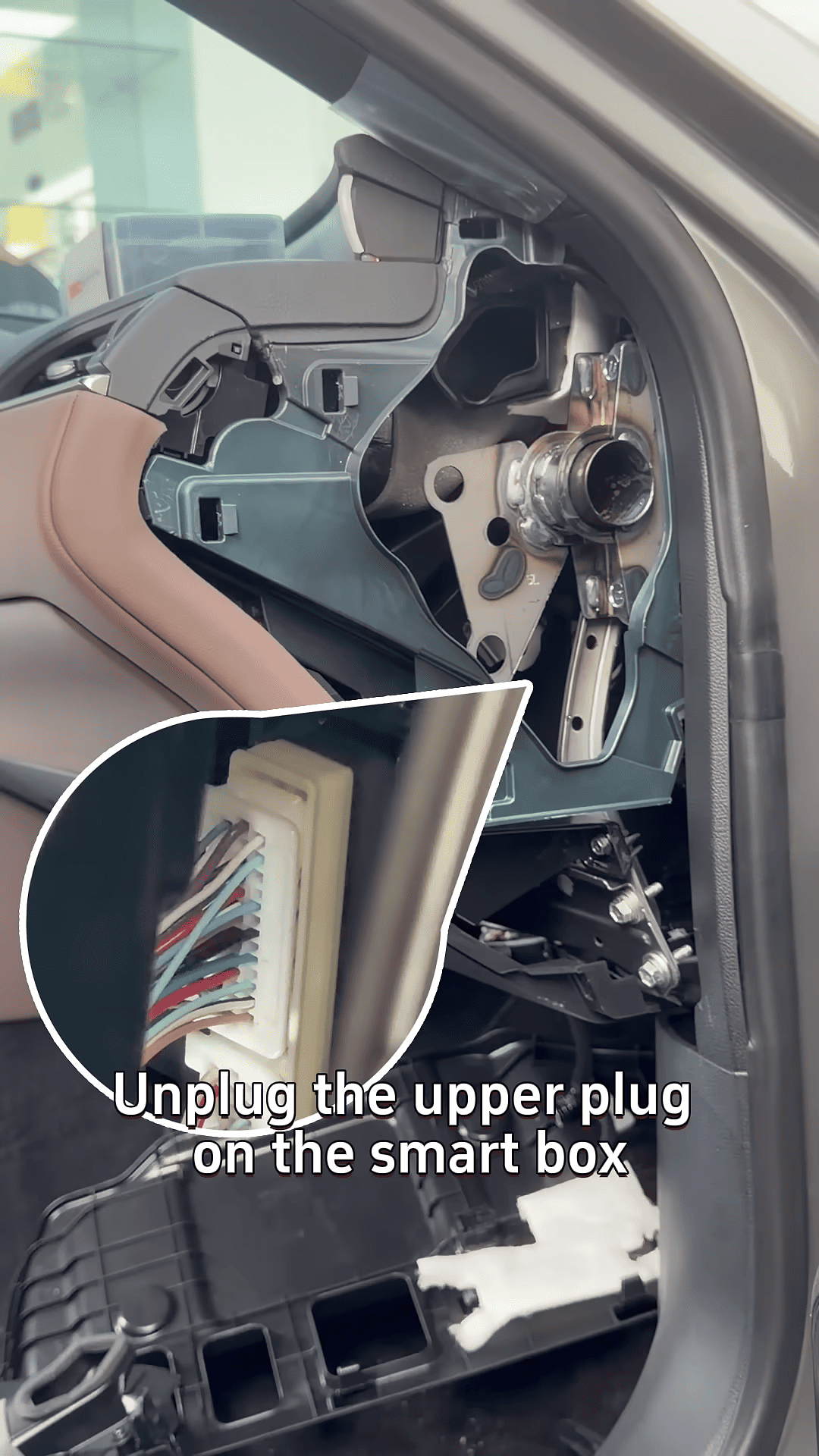
Using the 30-pin cable, the TLK1 is connected through the programmer OBD interface.
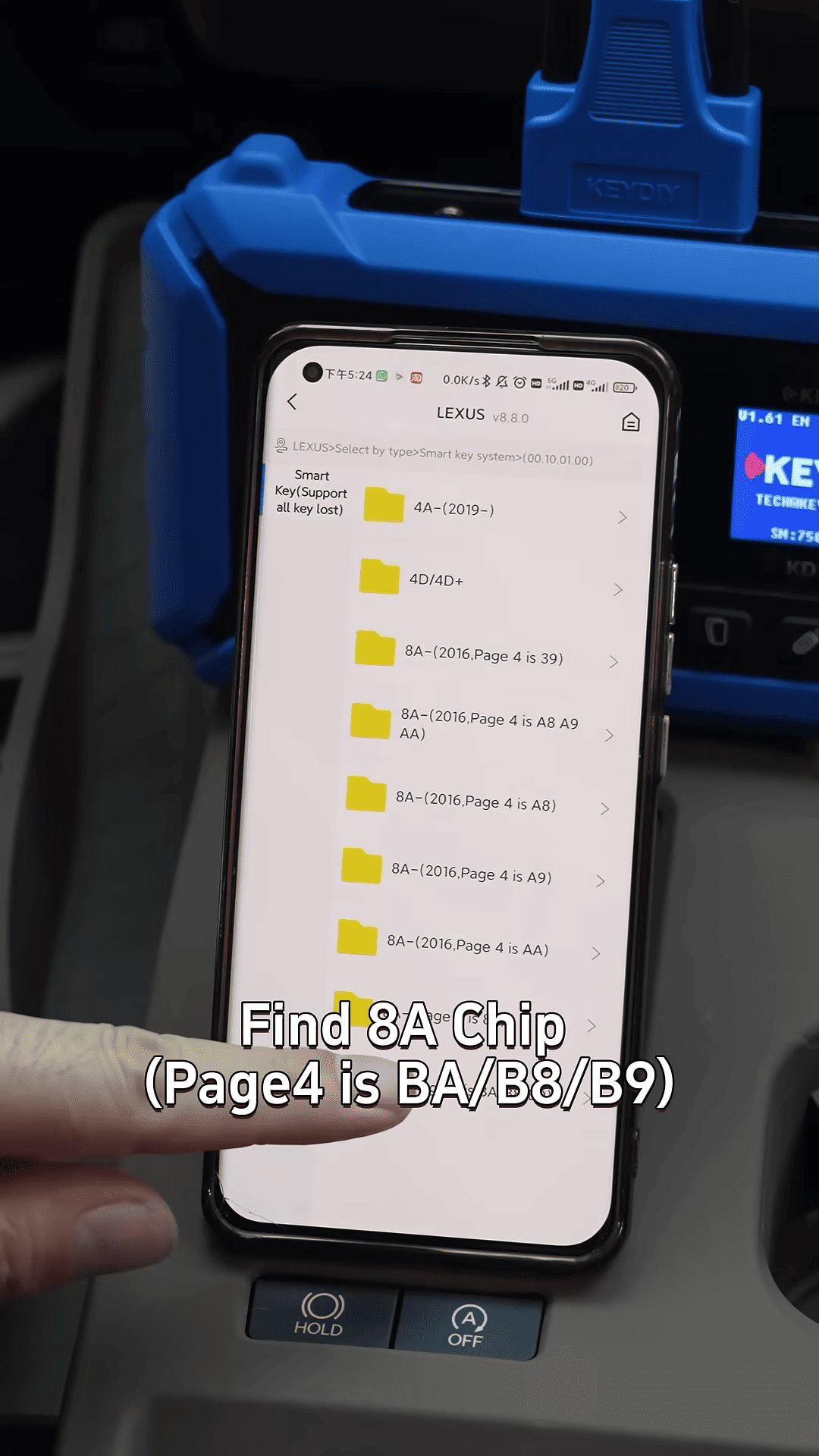
2. Inside KEYDIY APP menu, select:
IMMO Programming → Lexus → Smart Key System → 8A Chip Smart Key System
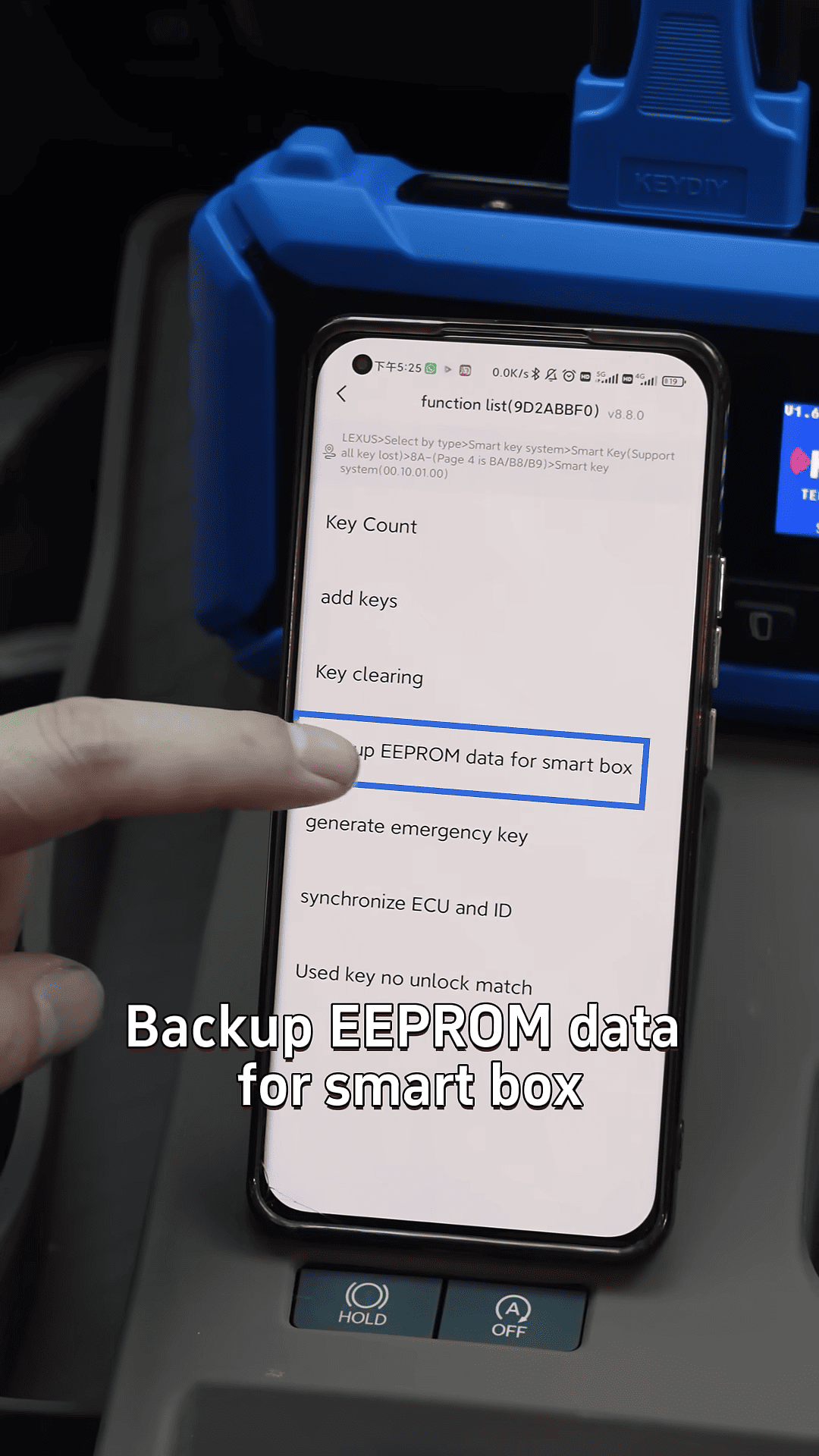
Before programming, EEPROM data from the smart box should always be backed up first.
3. Unlocking the OEM Key with TLK1
After powering on TLK1 device, the original Lexus key can be erased, read, and converted into emulator mode.
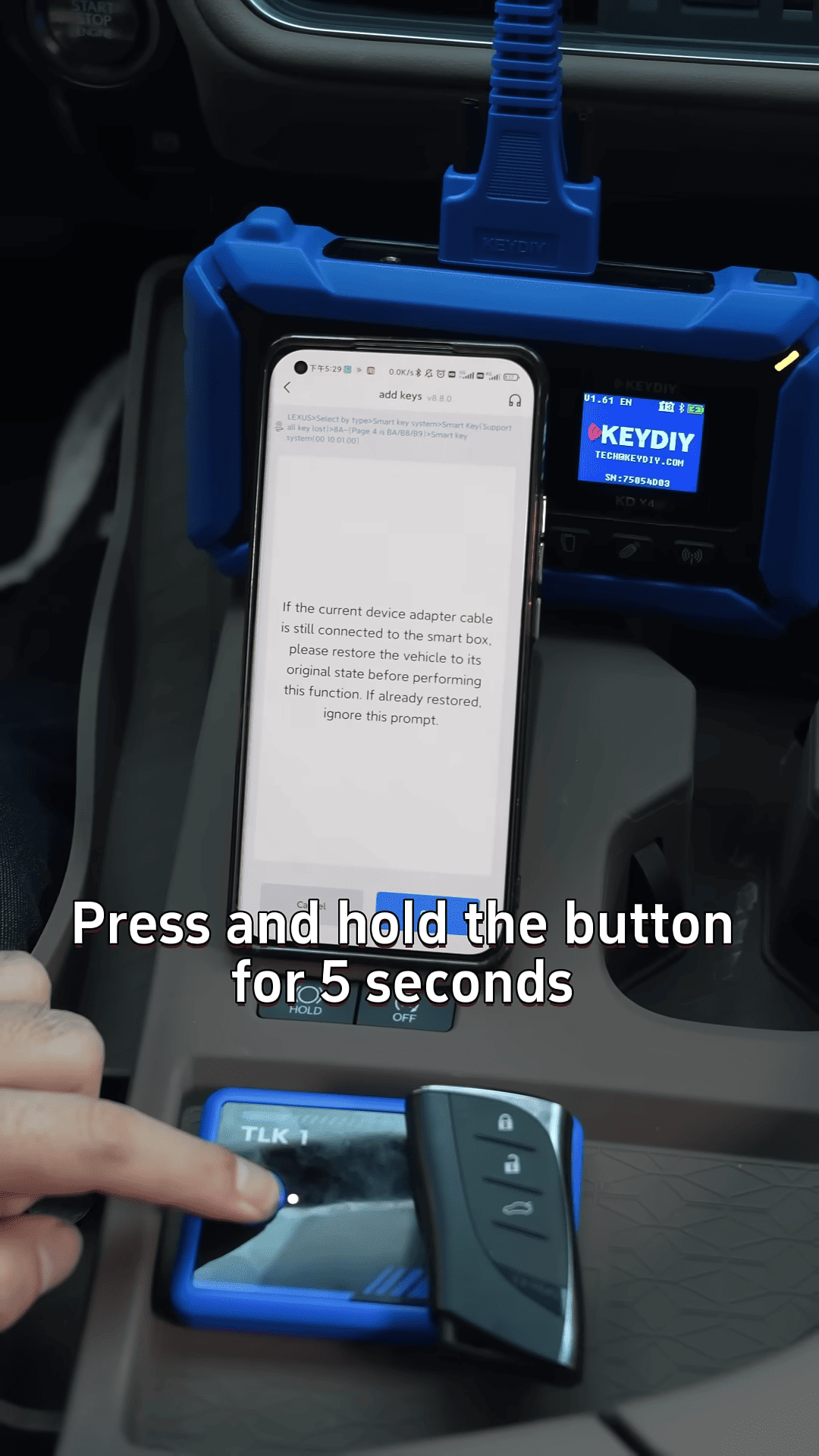
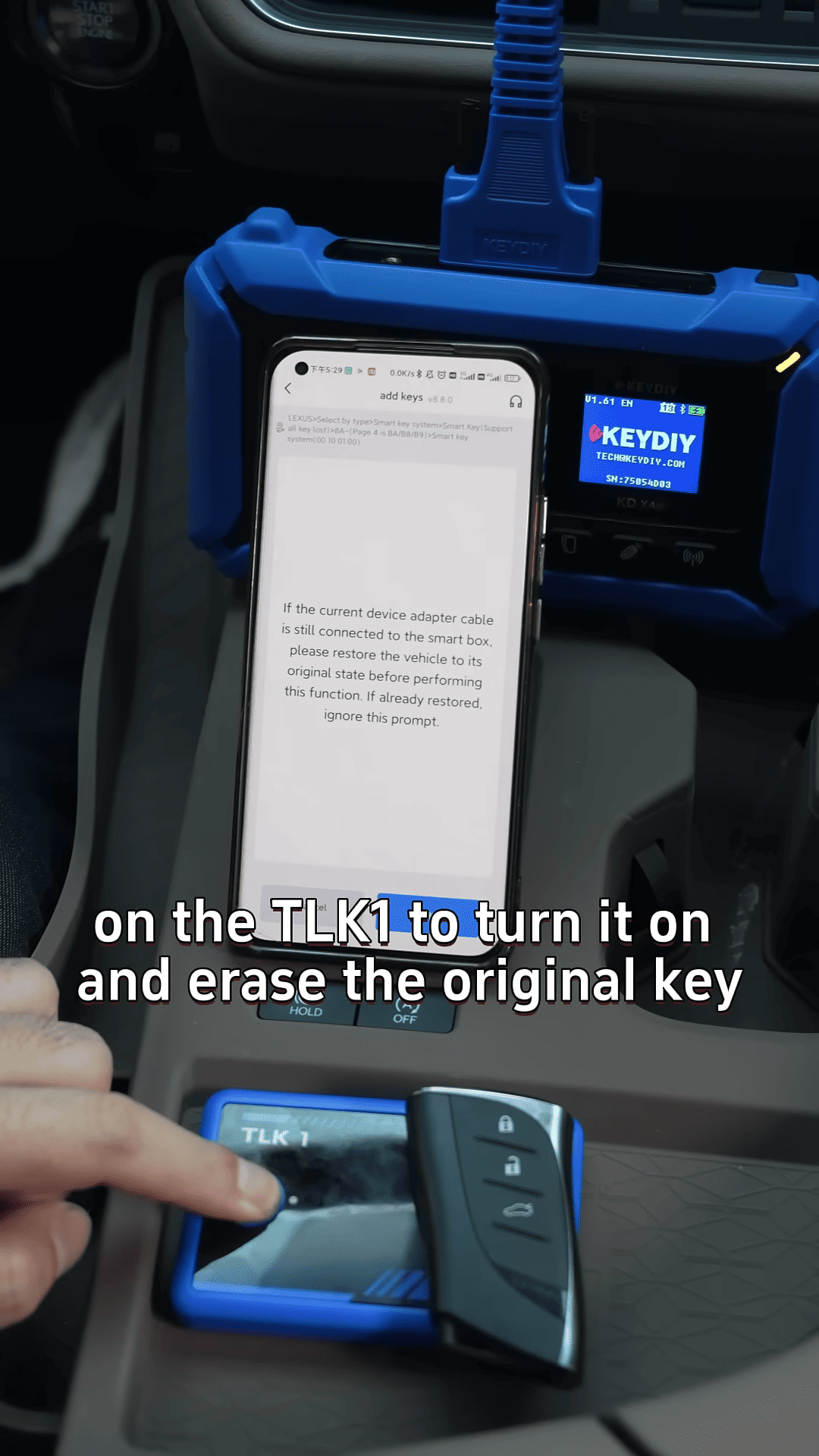
At this stage, many technicians also use KEYDIY KD-X4 to help manage key data and simplify the workflow during Toyota and Lexus smart key jobs.
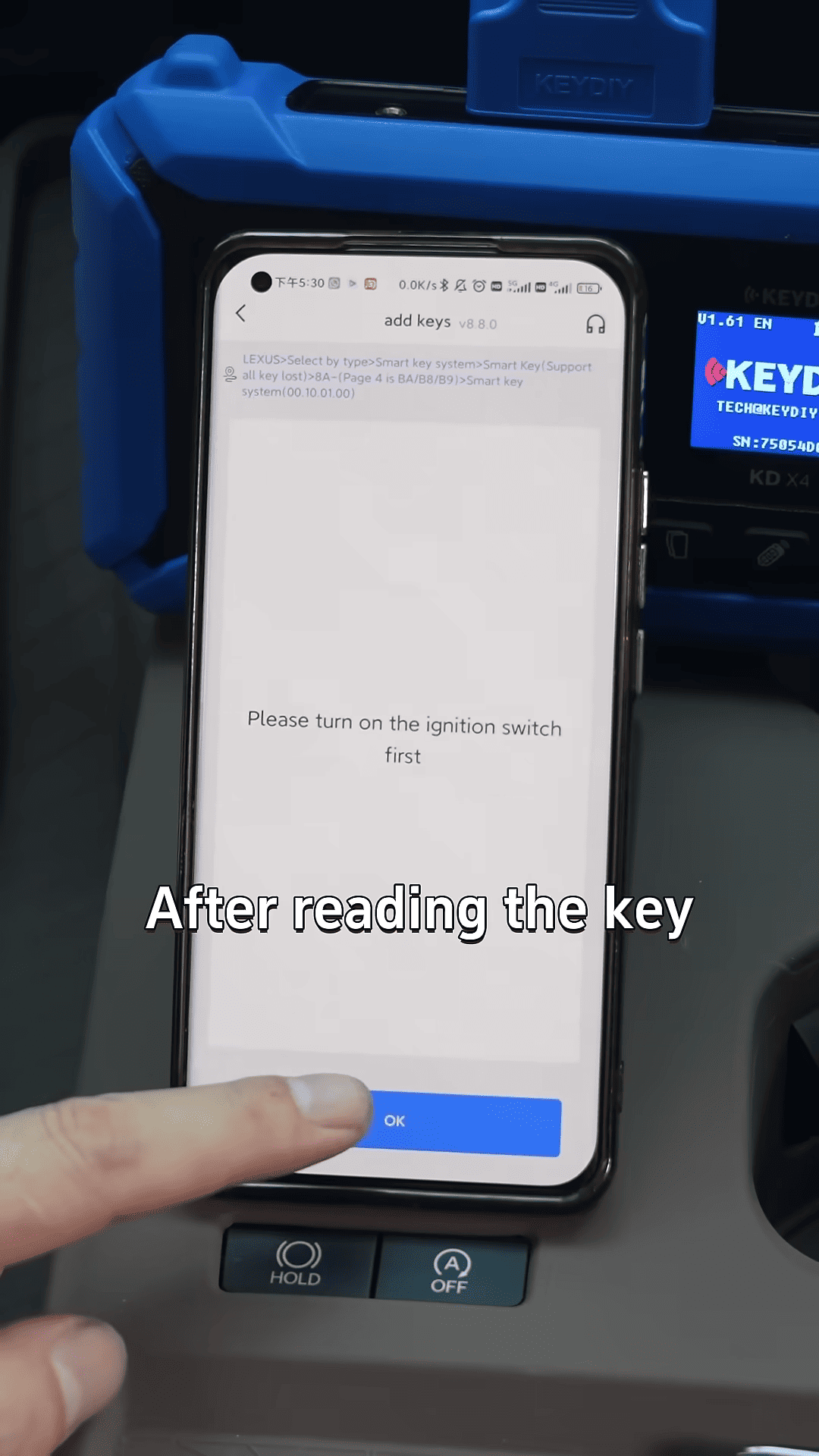
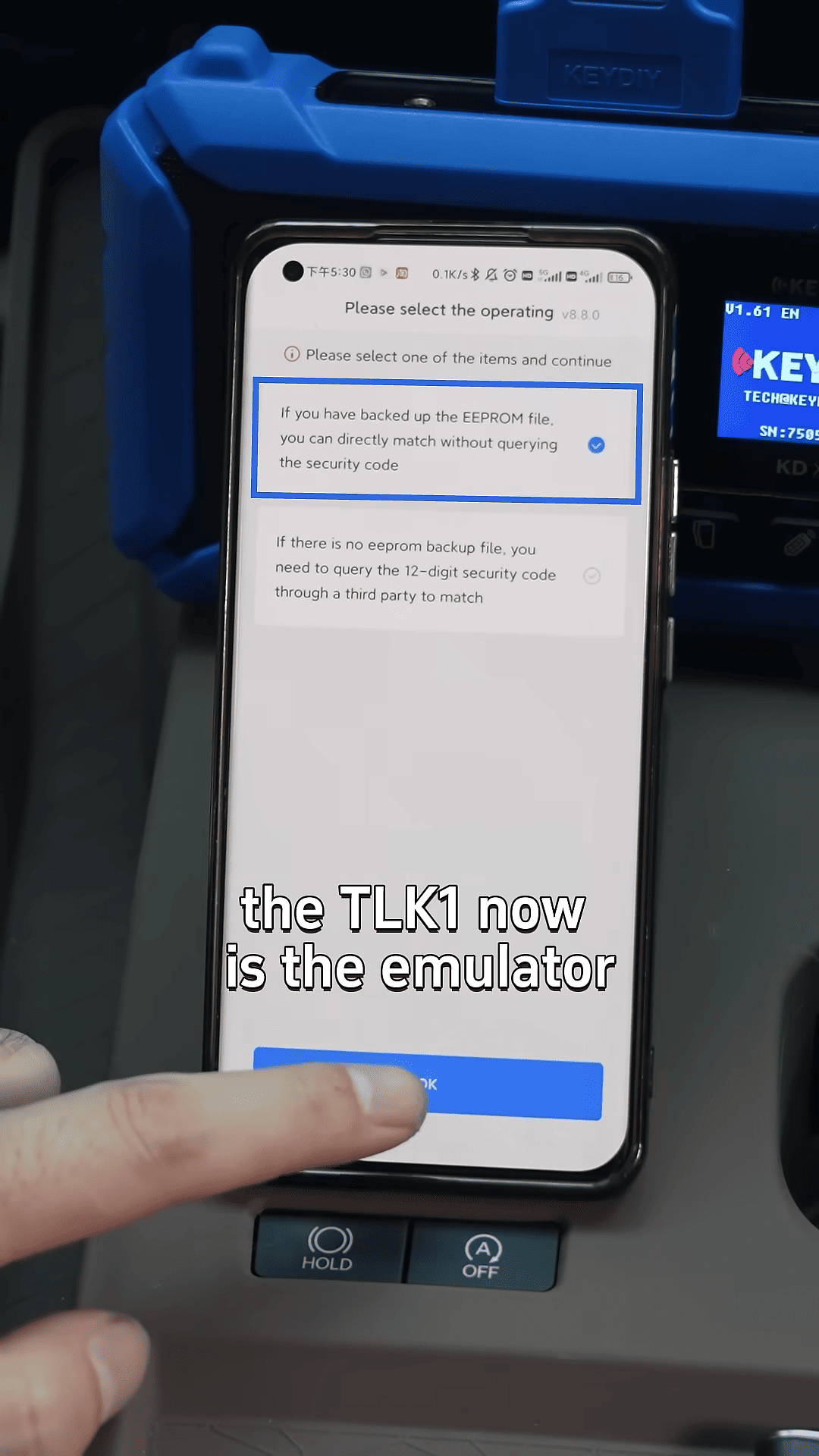
Compared with older methods, the TLK1 process is faster and more efficient.
4. Writing the New Lexus Key
After loading the saved EEPROM data, place the original key and TLK1 near the push-to-start button for synchronization.
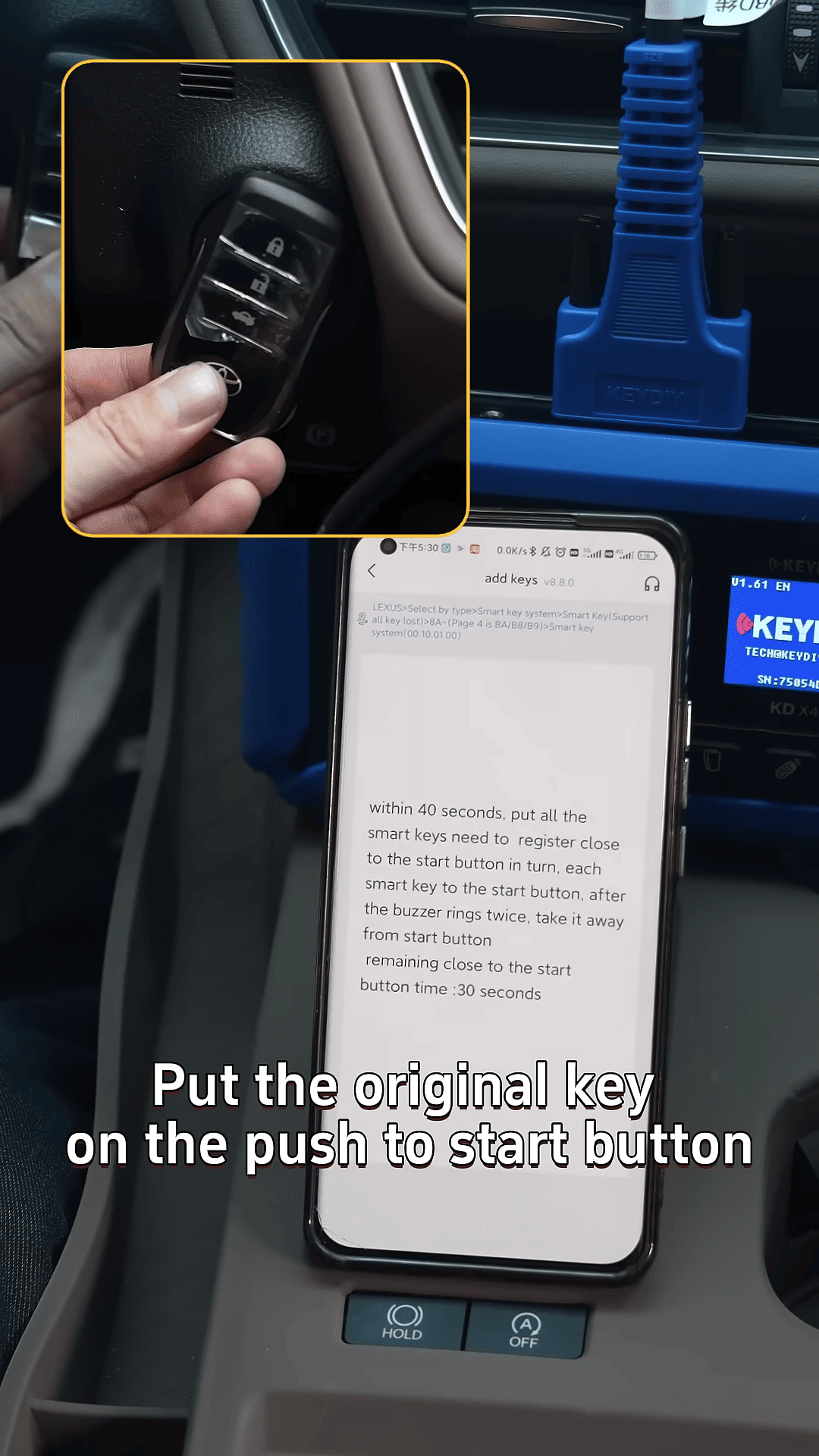
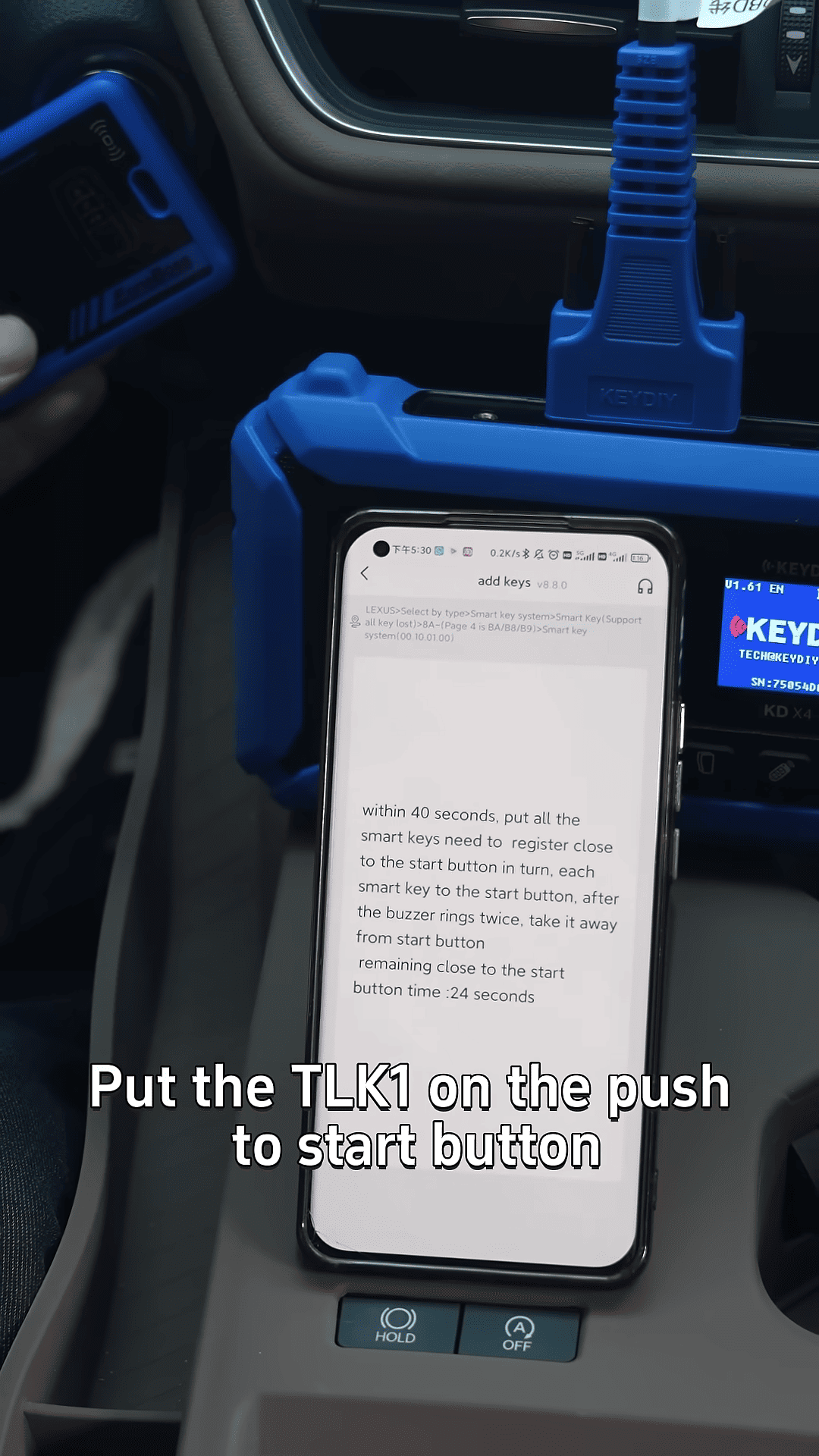
Then place the new key fob onto the TLK1 to complete programming.
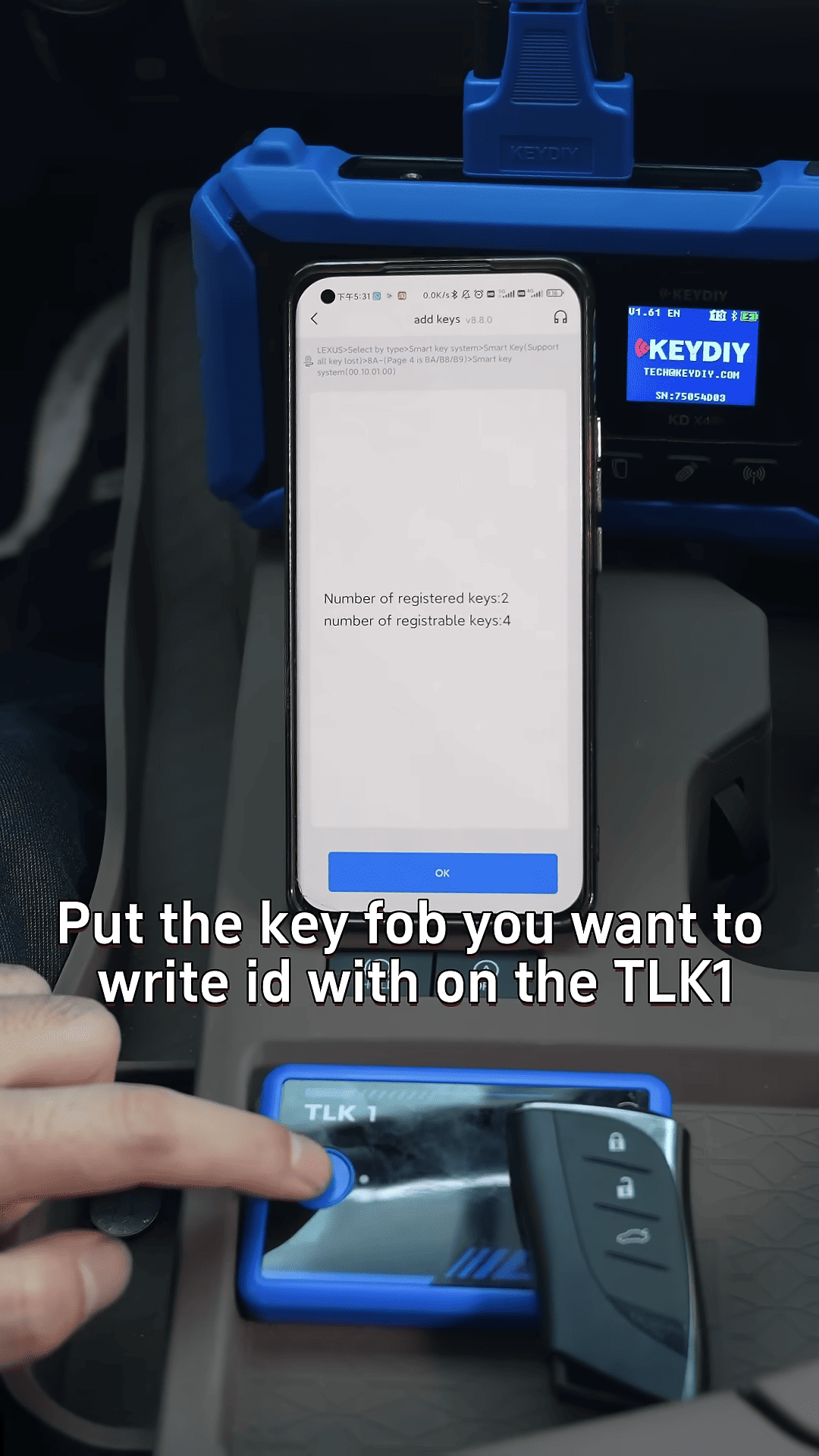
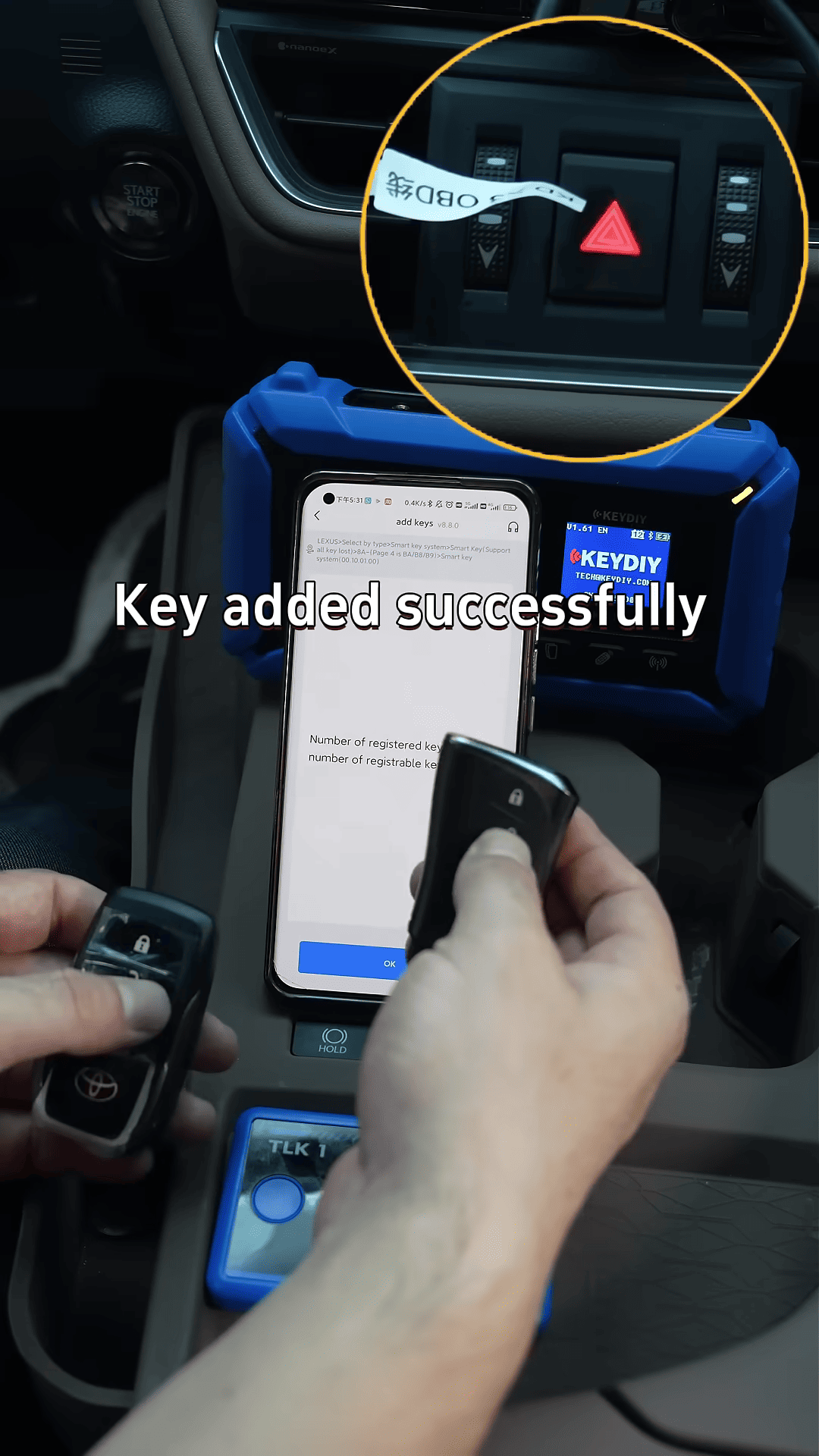
EONEBOSS TLK1 provides a practical way to reuse expensive Toyota Lexus OEM keys instead of replacing them completely.
