
Today we will show how to use Formulaflash to perform a Bosch EDC17CV54 DPF delete in BENCH mode with EEPROM backup, FLASH reading, DPF processing, and checksum correction.
DPF blockage is a common problem on diesel trucks.
Once the DPF system fails, the vehicle may enter limp mode and constantly show warning lights.
In this test, we used Formulaflash tool to complete a Bosch EDC17CV54 DPF delete in BENCH mode.
Prepare the ECU Connection
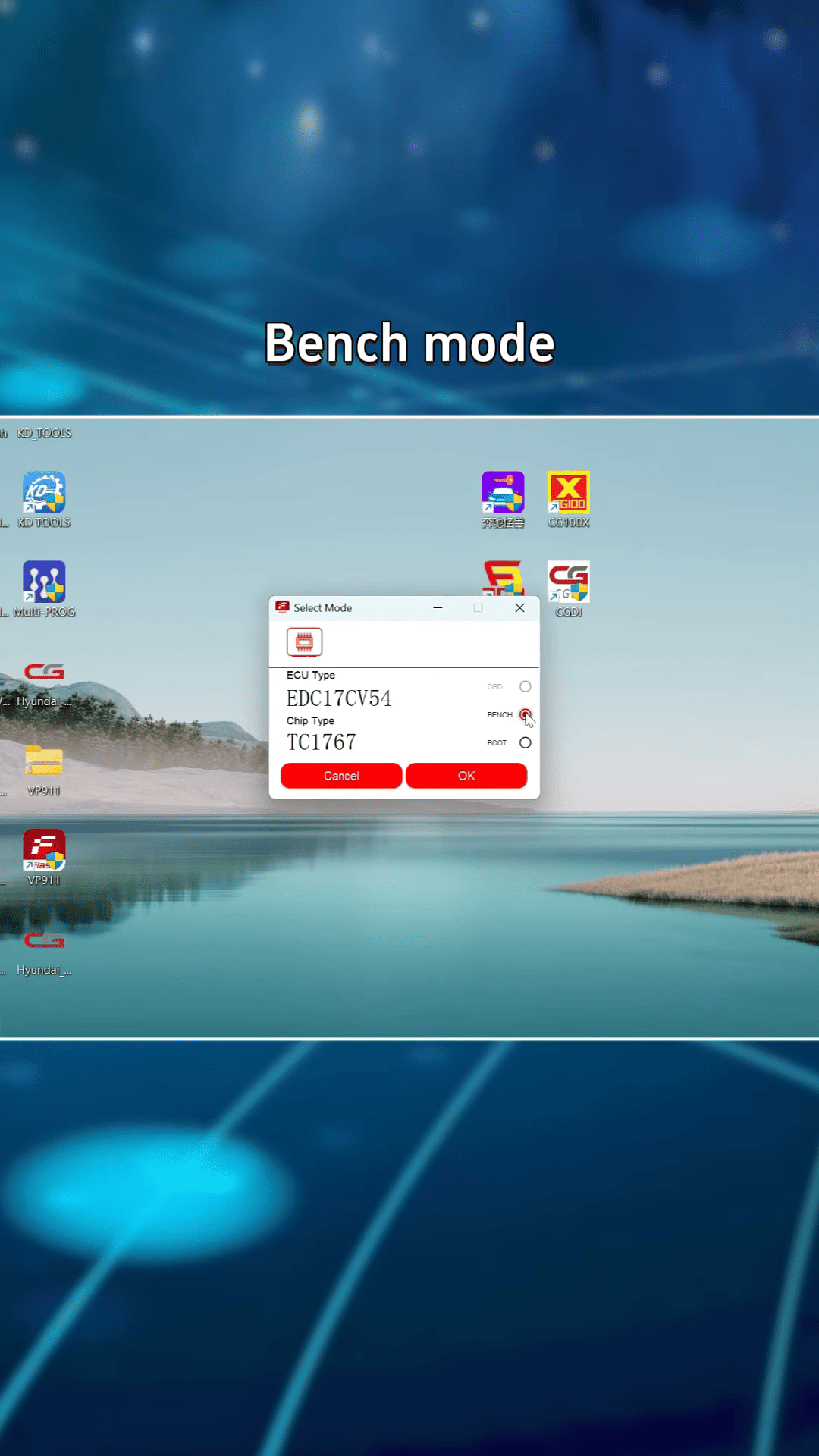
Open Formulaflash and search for: EDC17CV54
Select the ECU model and choose BENCH mode.
Open the connection diagram and wire the ECU according to the software instructions.
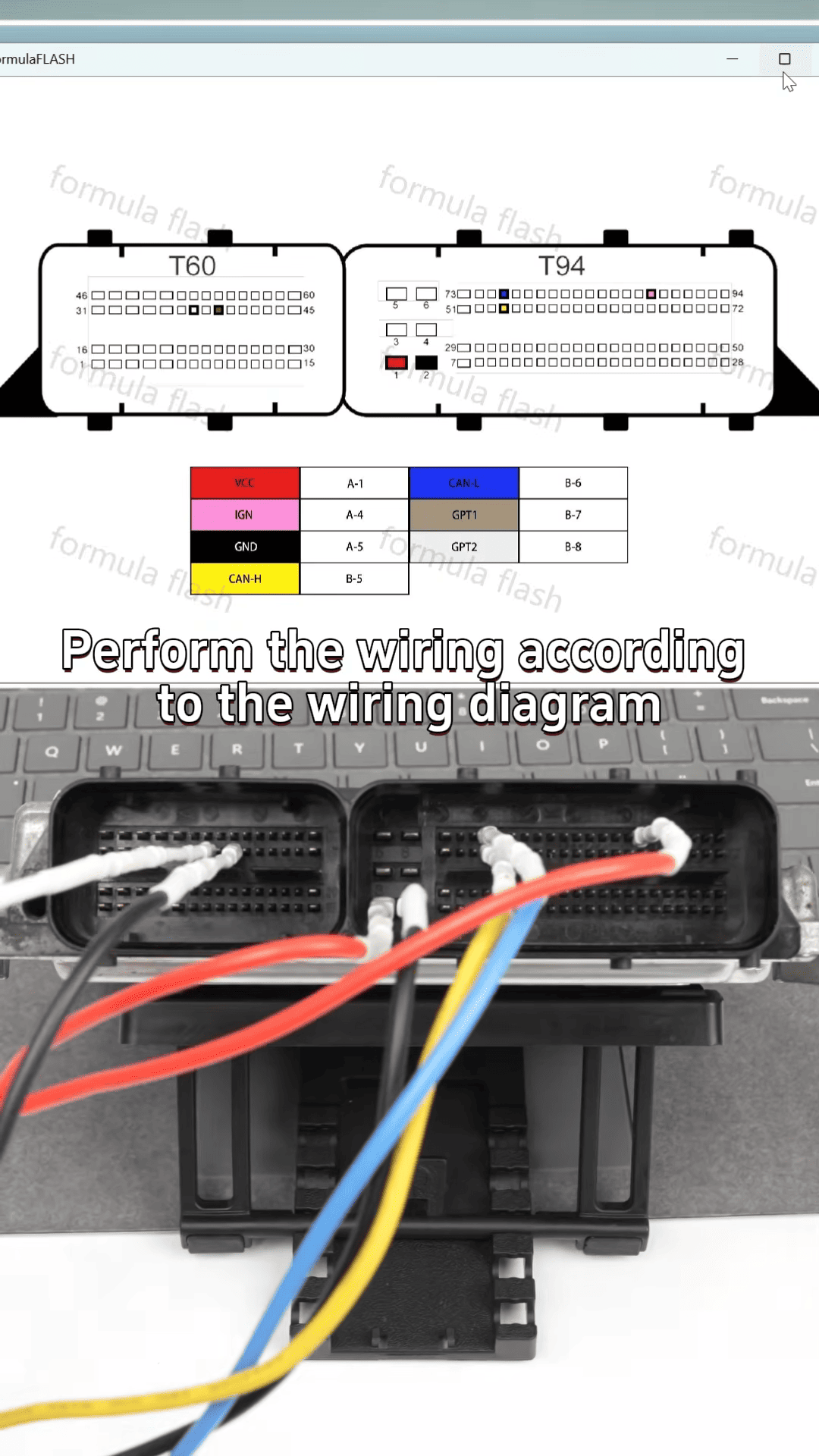
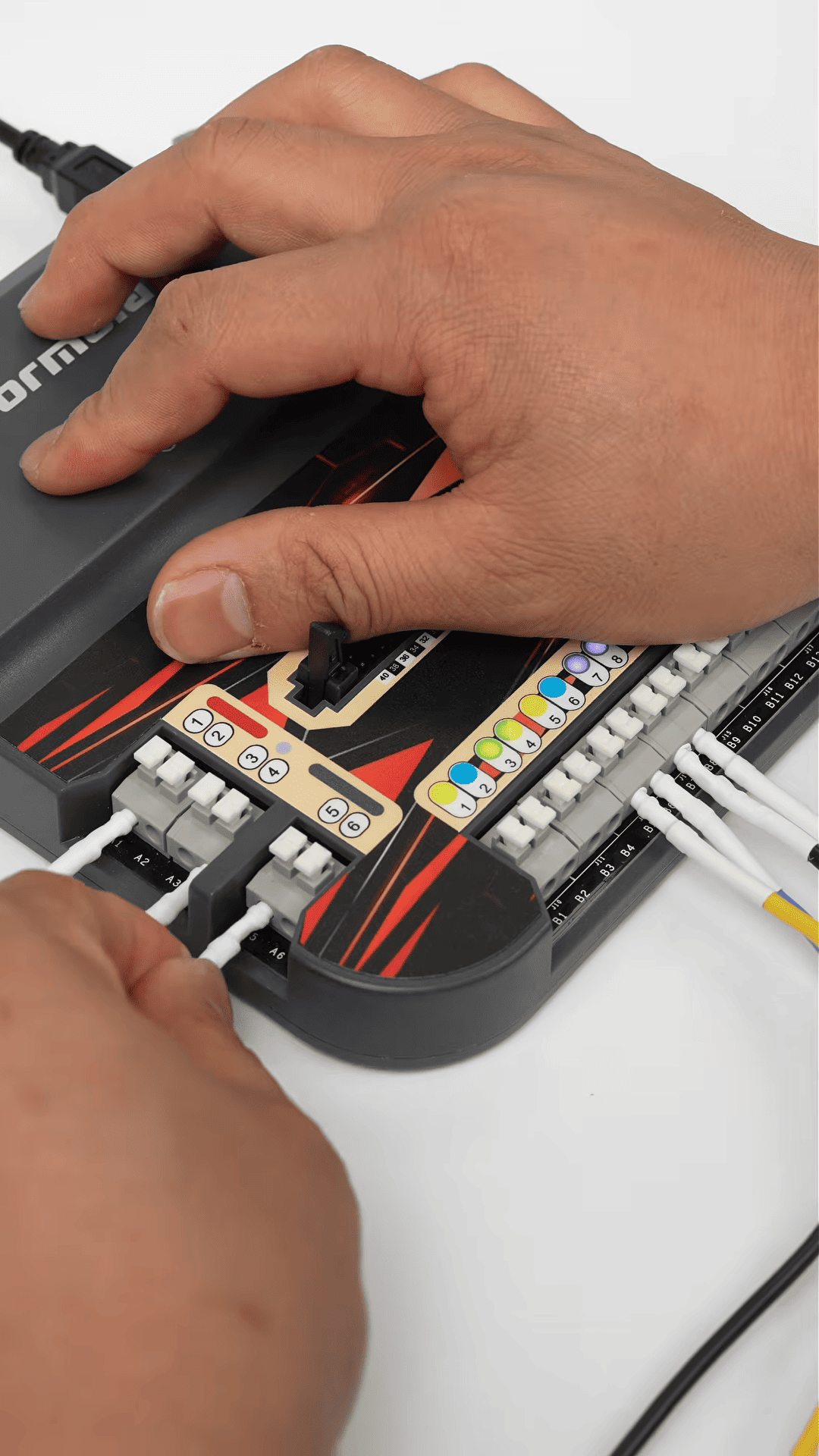
After wiring is completed, click Connect.
Backup EEPROM and FLASH Data
Before modifying the ECU file, always create a backup first.
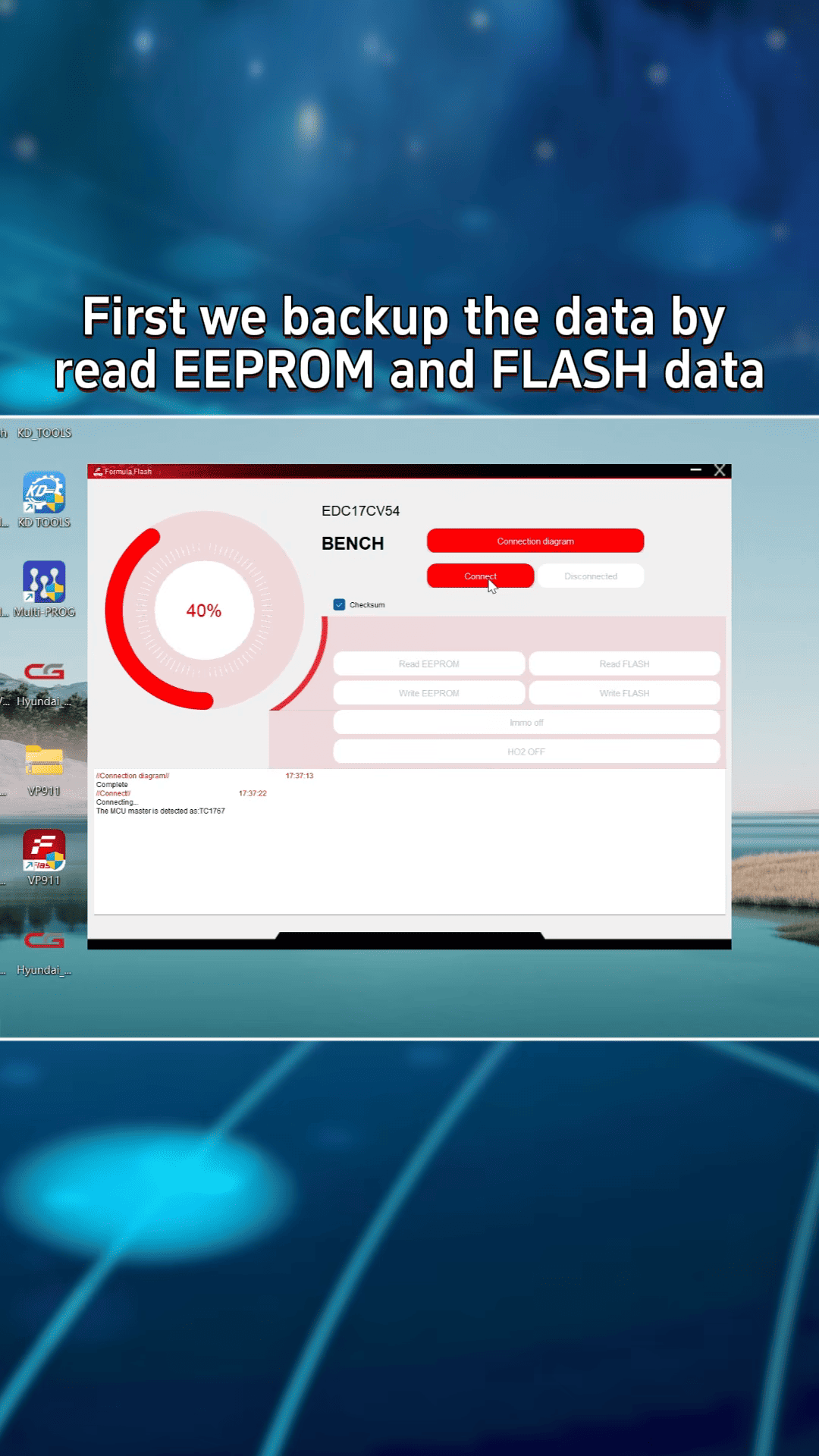
Inside Formulaflash:
- Read EEPROM data
- Save the file
- Read FLASH data
- Save the FLASH backup file
This step is important in case the original data needs to be restored later.
Process the DPF File
After reading the FLASH file, enter the User Center inside Formulaflash ecu programmer.
Select: Process Data
Here we choose DPF

Then: Select the ECU model
Upload the FLASH file
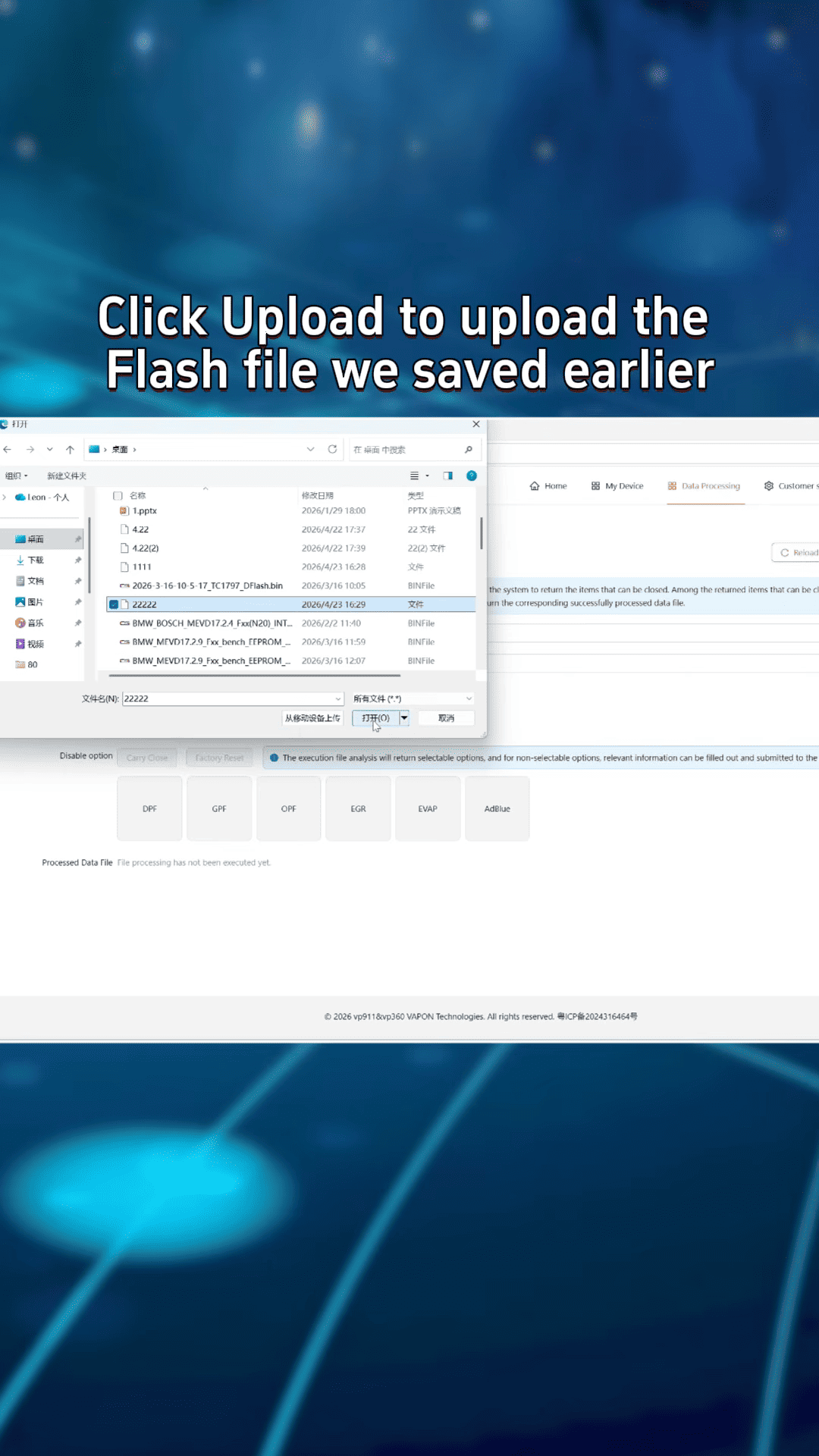
Click Analyze File
After analysis, choose the DPF option and let the software generate the modified file.
Download and save the processed file to the computer.
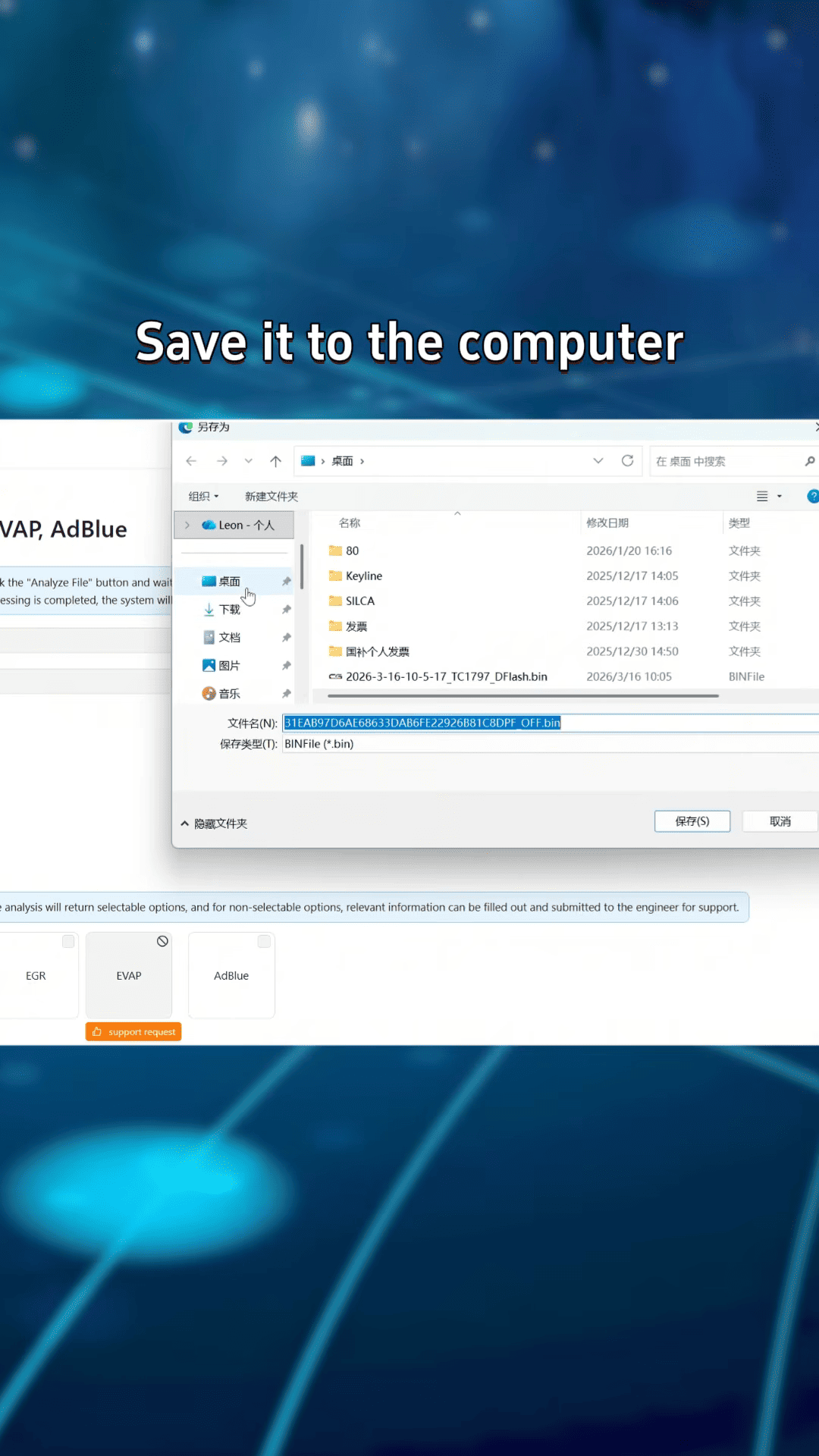
Write the Modified File
Return to the ECU selection menu and reconnect the ECU in BENCH mode.
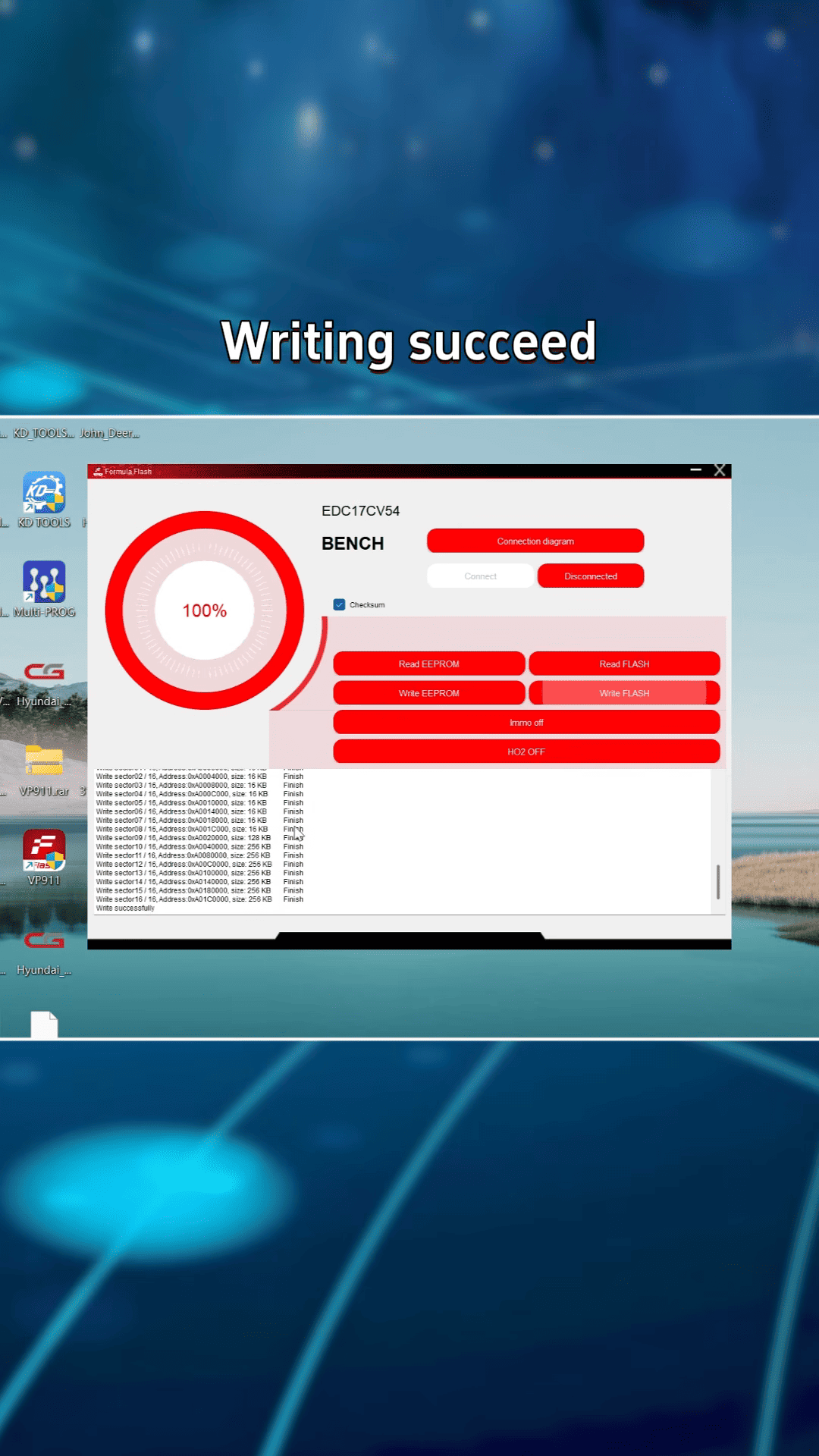
Choose: Write FLASH
- Load the modified DPF OFF file generated by Formulaflash.
- Start the writing process and wait until the software finishes.
- The system will automatically correct the checksum during writing.
Final Result
After writing succeeds:
- DPF logic is removed
- Limp mode issue solved
- Dashboard DPF warnings eliminated
- ECU modification completed successfully
For diesel ECU repair and tuning workshops, Formulaflash ECU TCU Chip Tuning Programmer provides a practical solution for Bosch EDC17CV54 DPF delete operations.
