
This guide demonstrates how to perform the calibration on a 2025 Toyota Sienna Hybrid using LAUNCH X-431 PRO3 LINK (X431 V+ SmartLink HD).
Vehicle Information
Toyota Sienna Hybrid 2025
Diagnostic Tool Used
LAUNCH X-431 PRO3 LINK
Function:
Deceleration Sensor Zero Point Calibration
Preparation Conditions
Before performing the calibration, make sure
- The vehicle is parked on a flat and stable surface
- Gear selector is in P (Park) position
- Vehicle remains completely stationary
- Ignition/power switch is ON
- Engine is OFF and Ready light is OFF
Failure to meet these conditions may cause the calibration procedure to fail.
1. Enter Toyota Diagnosis
Connect the diagnostic tool to the vehicle.
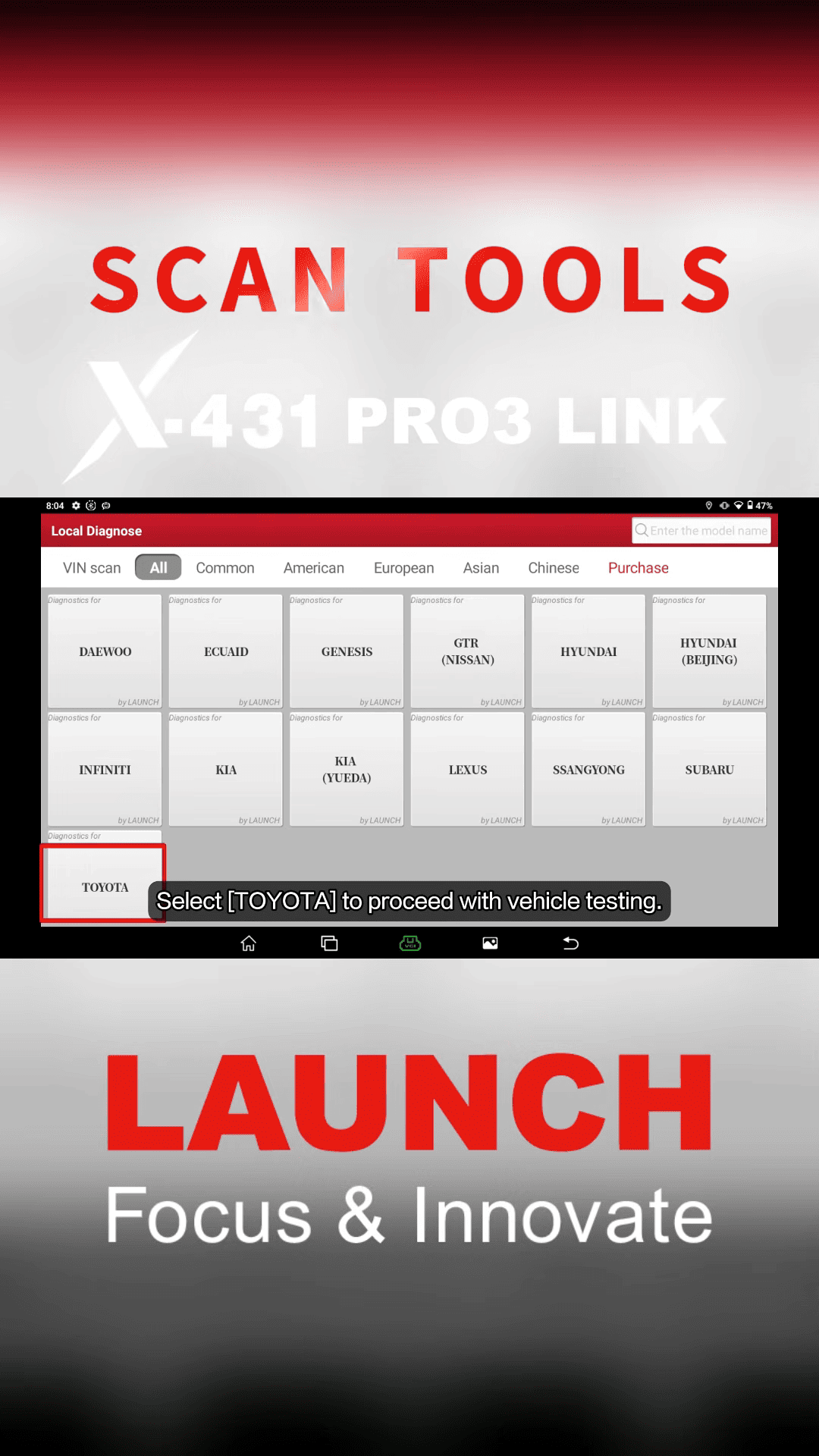
From the main menu, select Local Diagnose → TOYOTA
2. Identify Vehicle Information
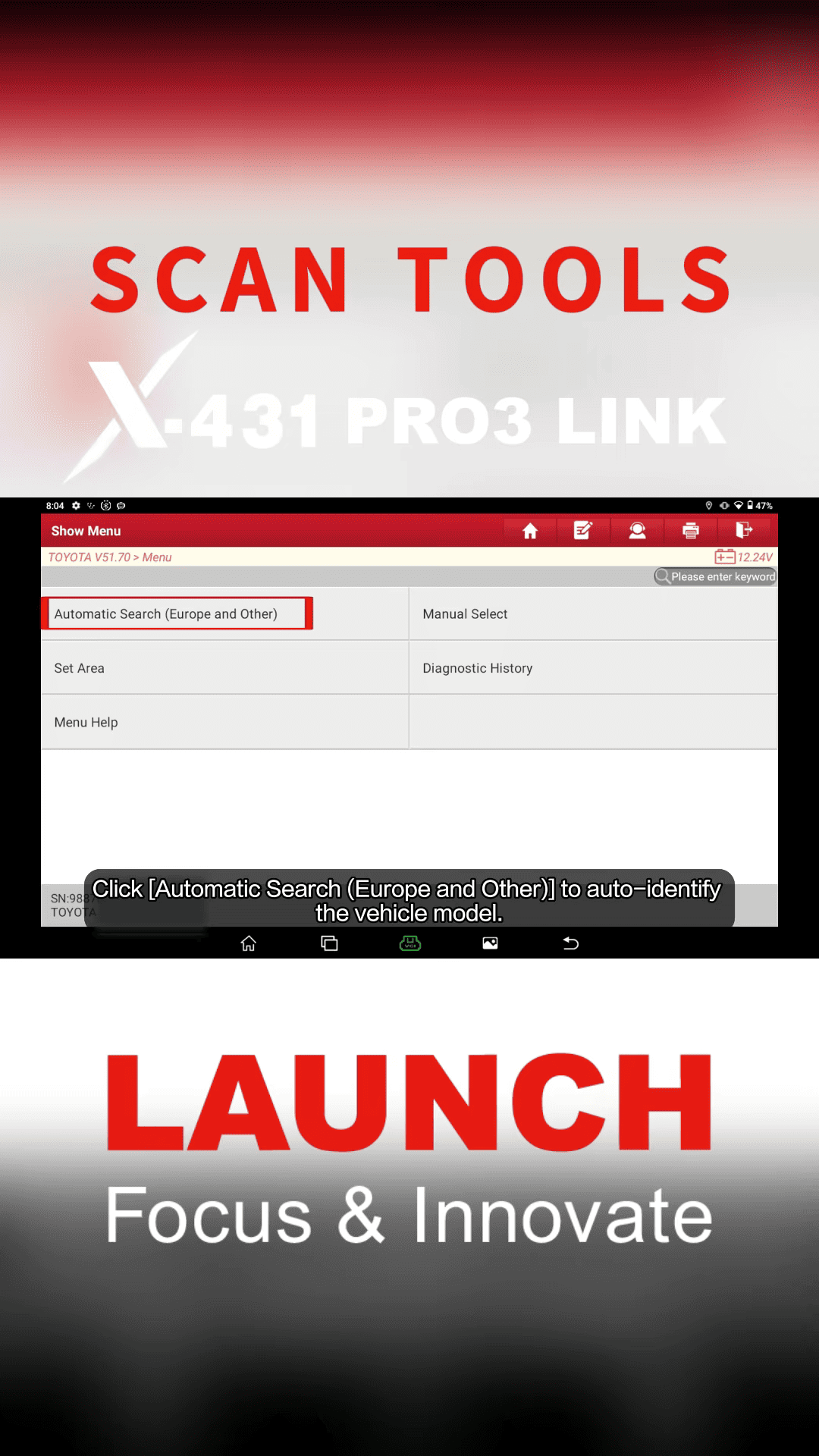
Choose Automatic Search (Europe and Other)
The tool will automatically detect vehicle information.
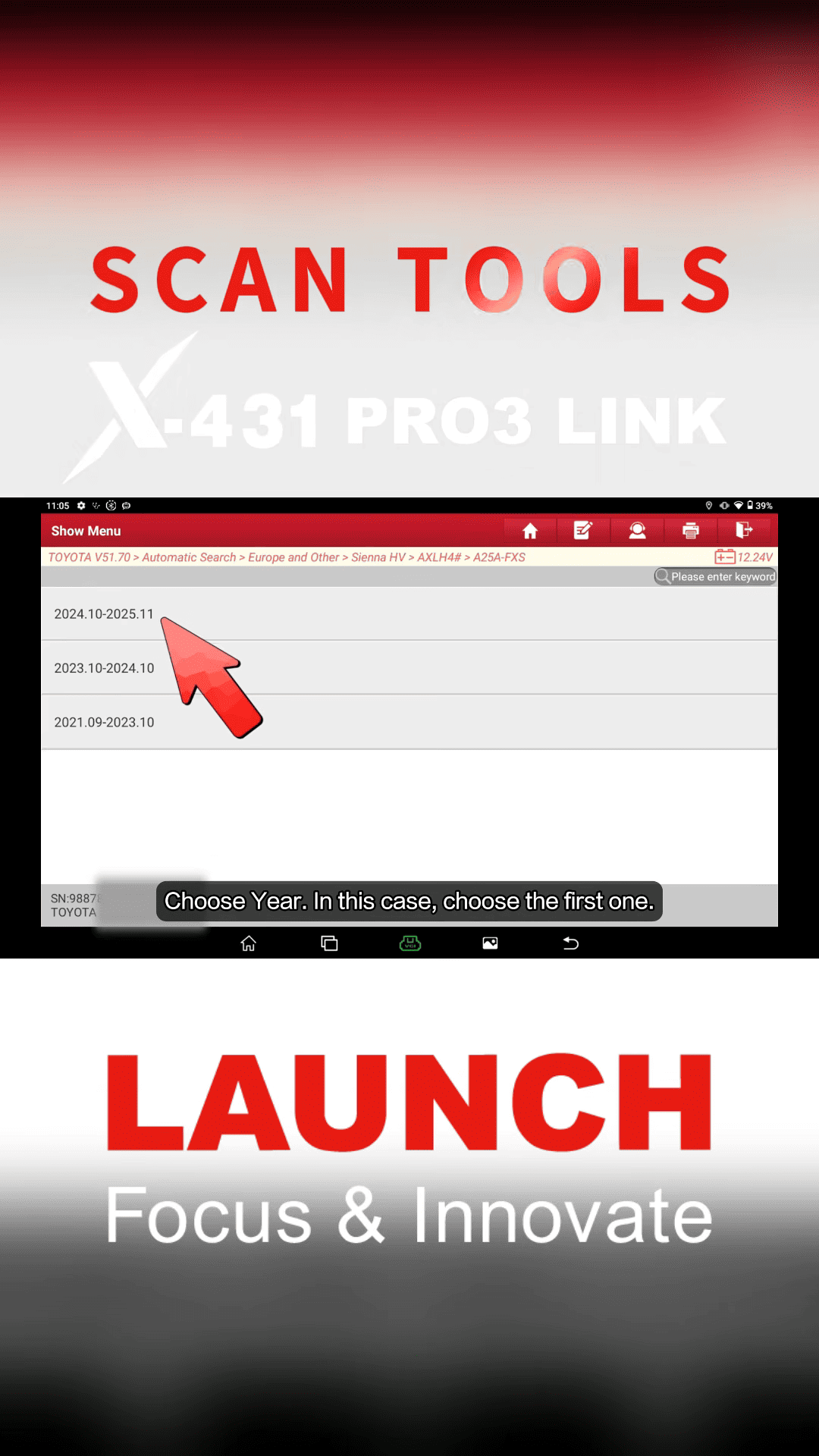
Choose the correct vehicle year.
For this demon
Toyota Sienna Hybrid 2025
Confirm the vehicle information and tap OK.
3. Access ECM Special Functions
Enter ECM [(Engine Control Module)]
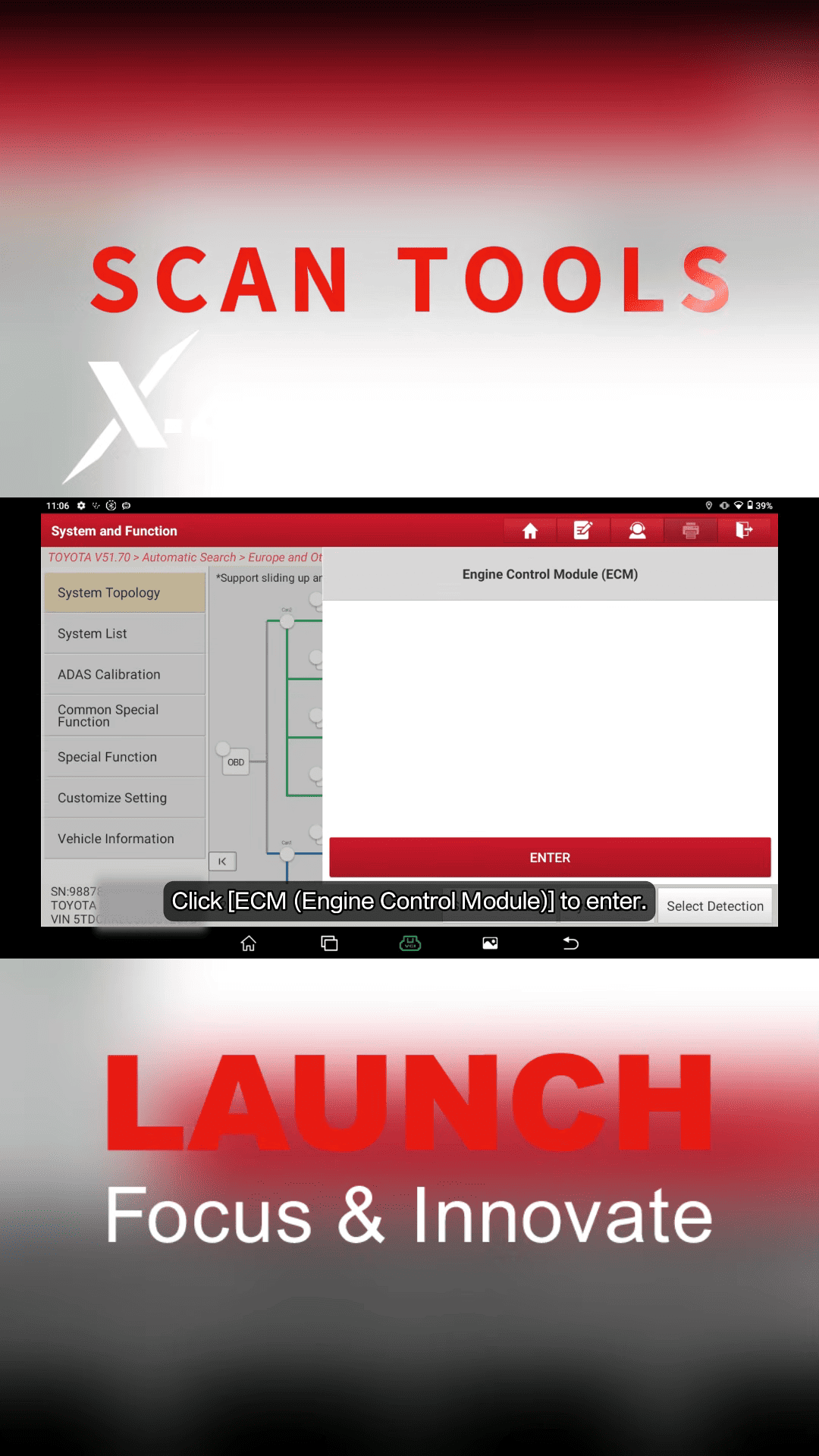
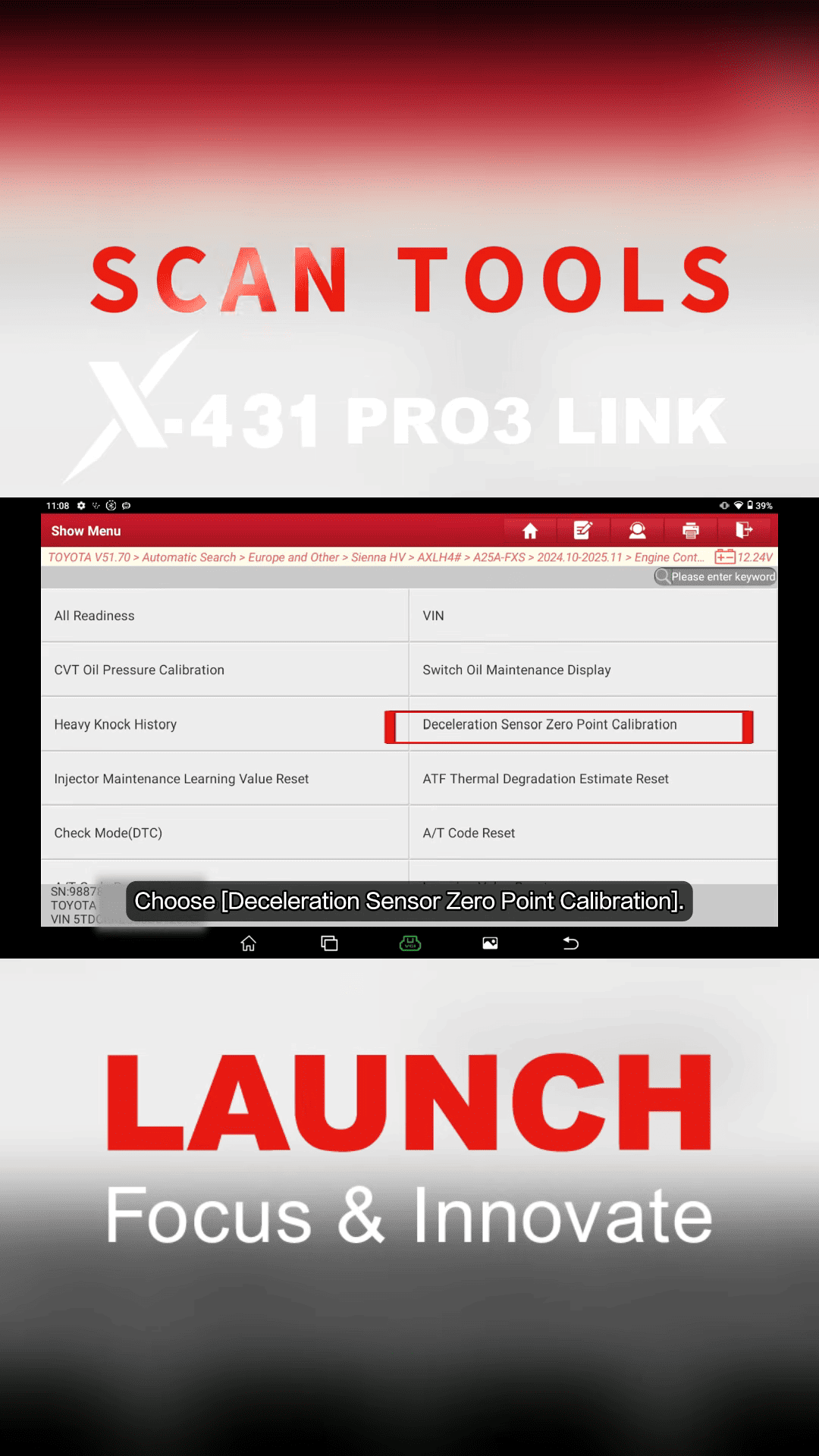
From the function menu, select [Special Function]
Then choose [Deceleration Sensor Zero Point Calibration]
4. Start Calibration
The diagnostic tool will display the calibration requirements.
Confirm that:
Vehicle conditions are correct
Gear position is P
Vehicle is stationary
Tap OK to continue.
The system will start processing.
Wait until the procedure finishes.
When the message appears [Deceleration sensor zero point calibration completed]
Tap OK to exit.
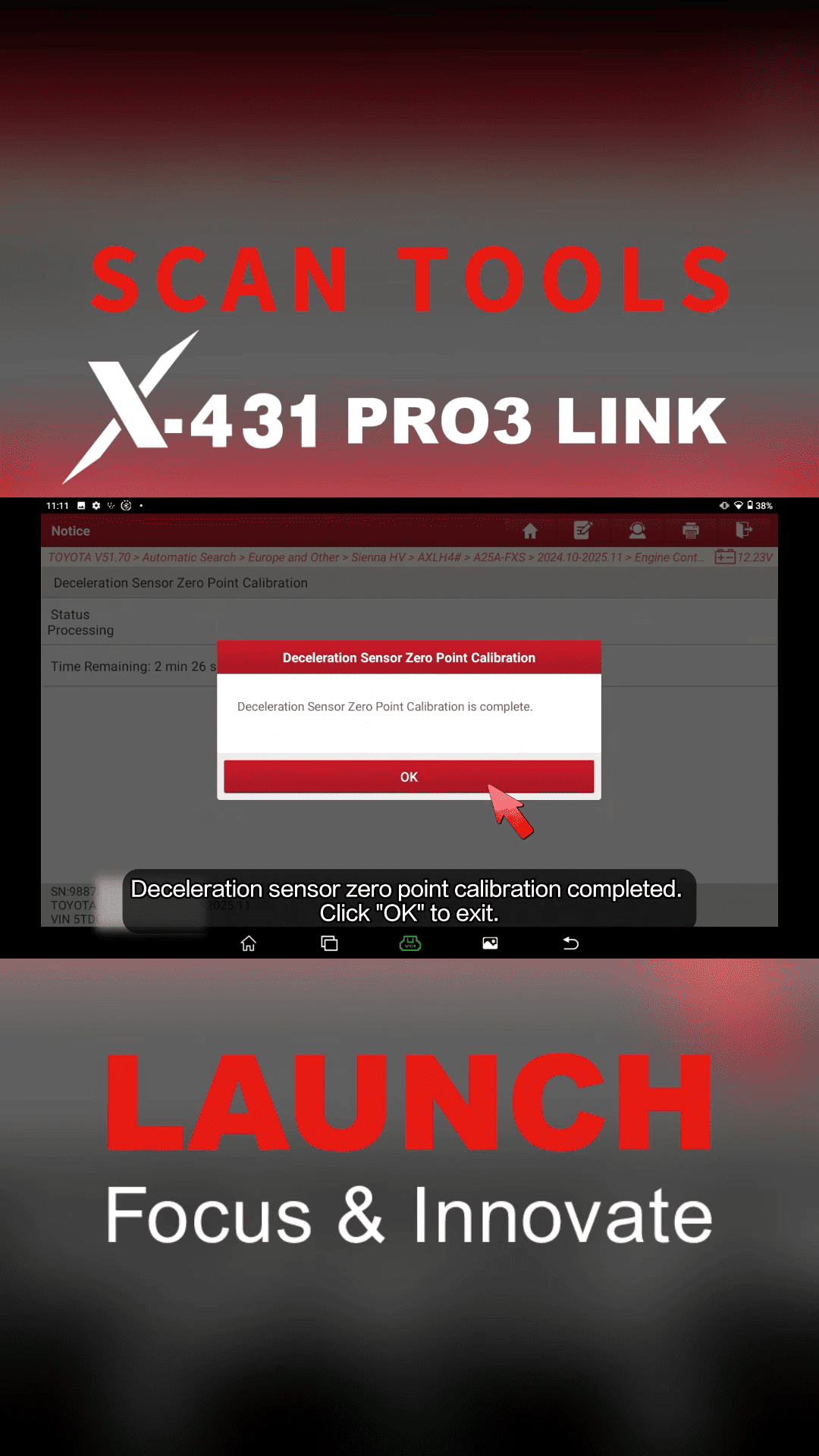
The calibration process is now complete.
