
A customer recently asked me a question about YH35XX Programmer:
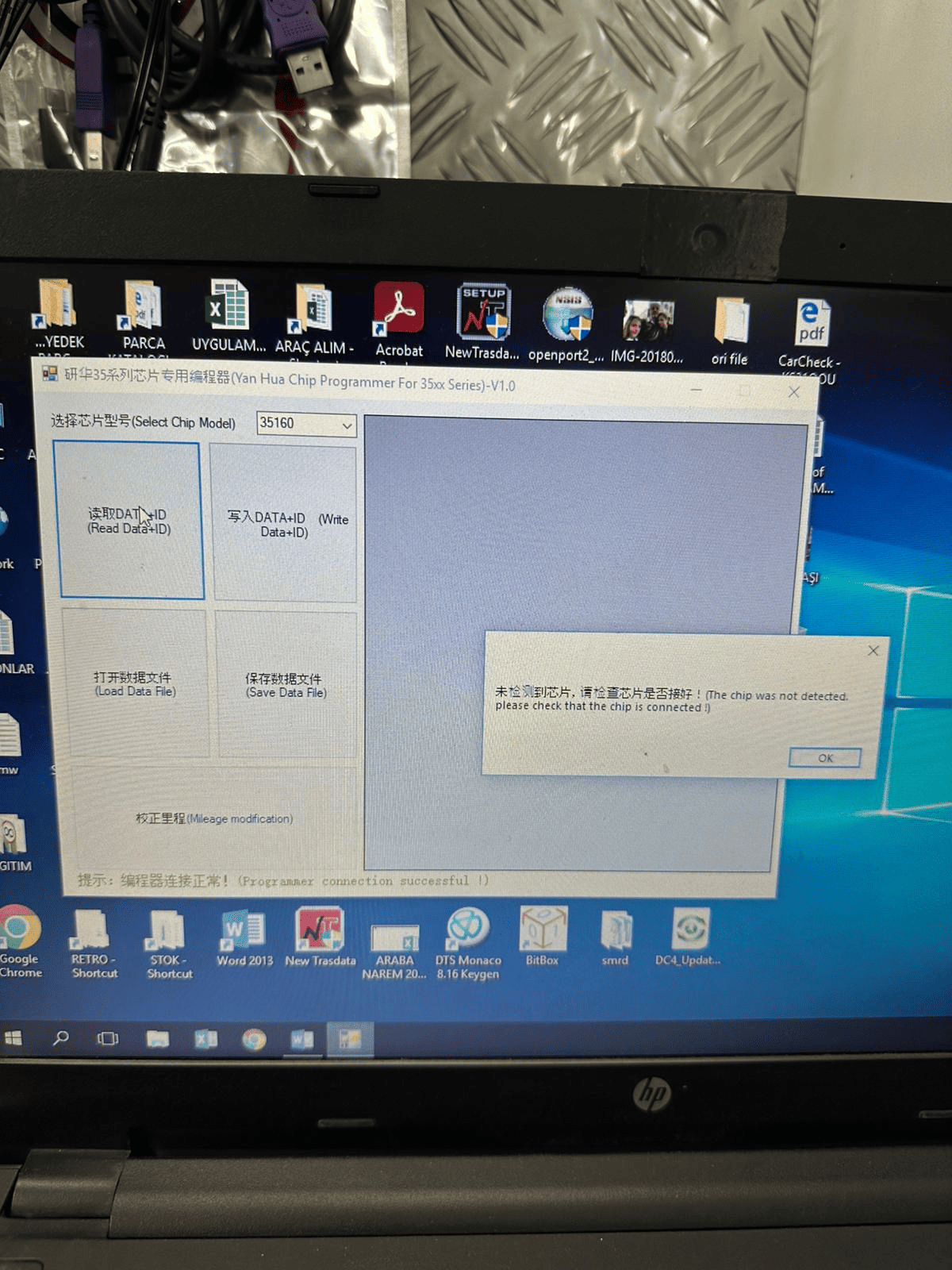
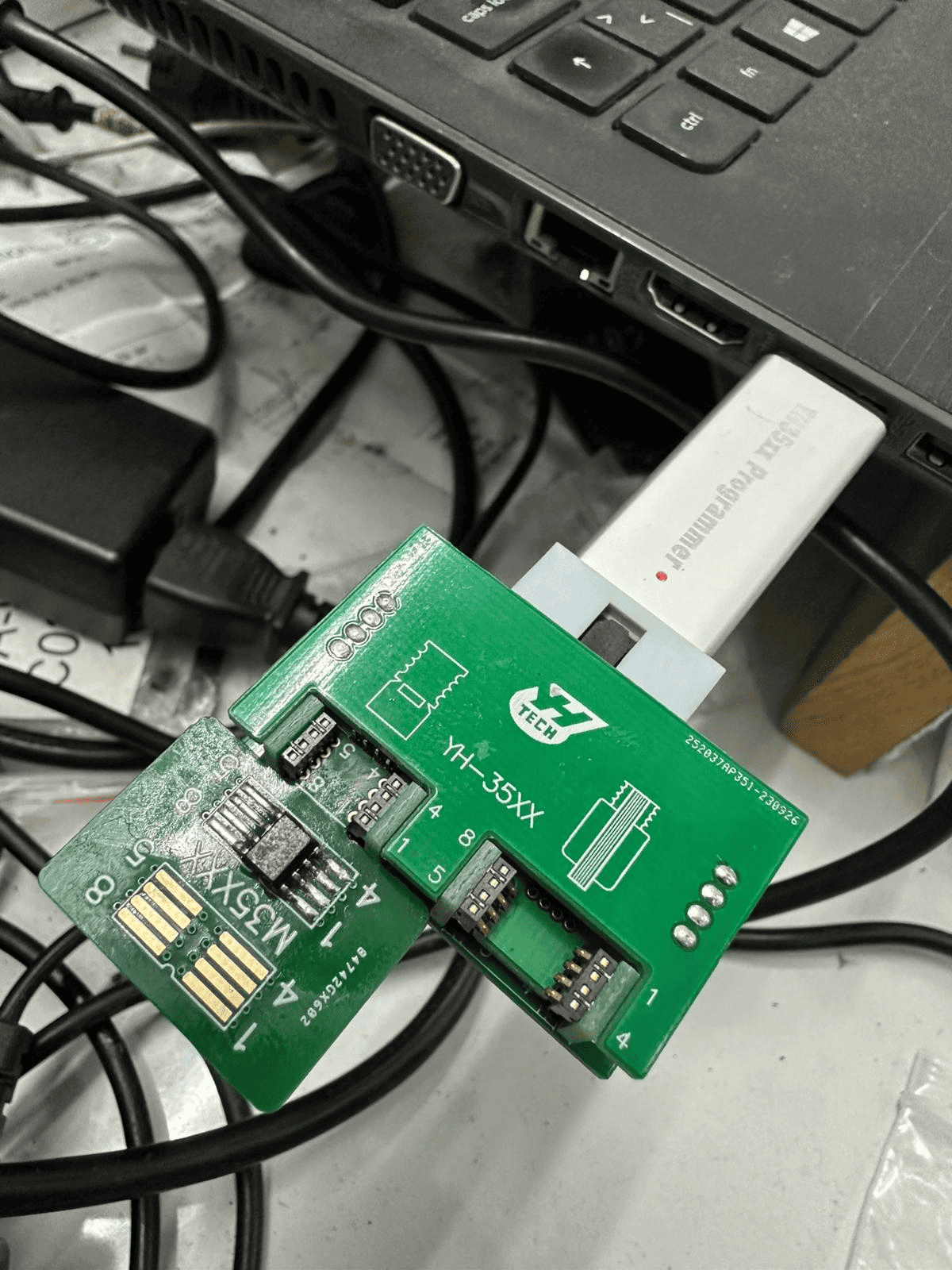
I’m sure my chip connection method is correct, but the device displays the message “The chip was not detected, please check that the chip is connected!”
Reply from CARDIAGTOOL UK technician:
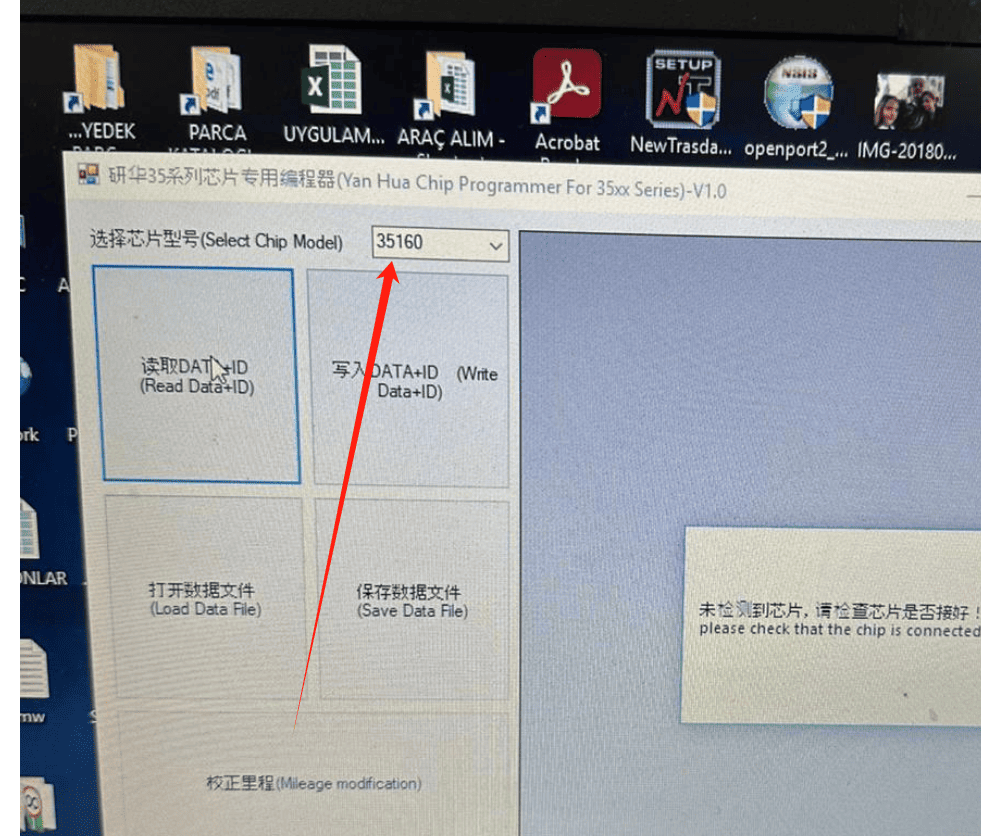
You need to check if you’ve selected the correct chip type. For example, in the image, your chip type should be 35128, not 35160, which is why the computer displays the “chip was not detected” message.
For any questions, please contact us:
WhatsApp: +86 150 0270 5698
Skype:cardiag.co.uk
E-Mail: sales@CardiagTool.co.uk
