
This post shows how to transfer data from an original Nissan RE7R01A gearbox TCU to a replacement unit using Yanhua ACDP Module 43 and Yanhua ACDP2. The process involves reading MAPS data from the donor gearbox and writing it to the new one.
Preparation
- Ensure your ACDP/ACDP-2 programmer is bound (check the top-right corner in the app).
- Use the dedicated interface board and cables for RE7R01A.
Step 1: Read Data from Original Gearbox
1. Open the ACDP app → Module → Nissan TCM R/W data.
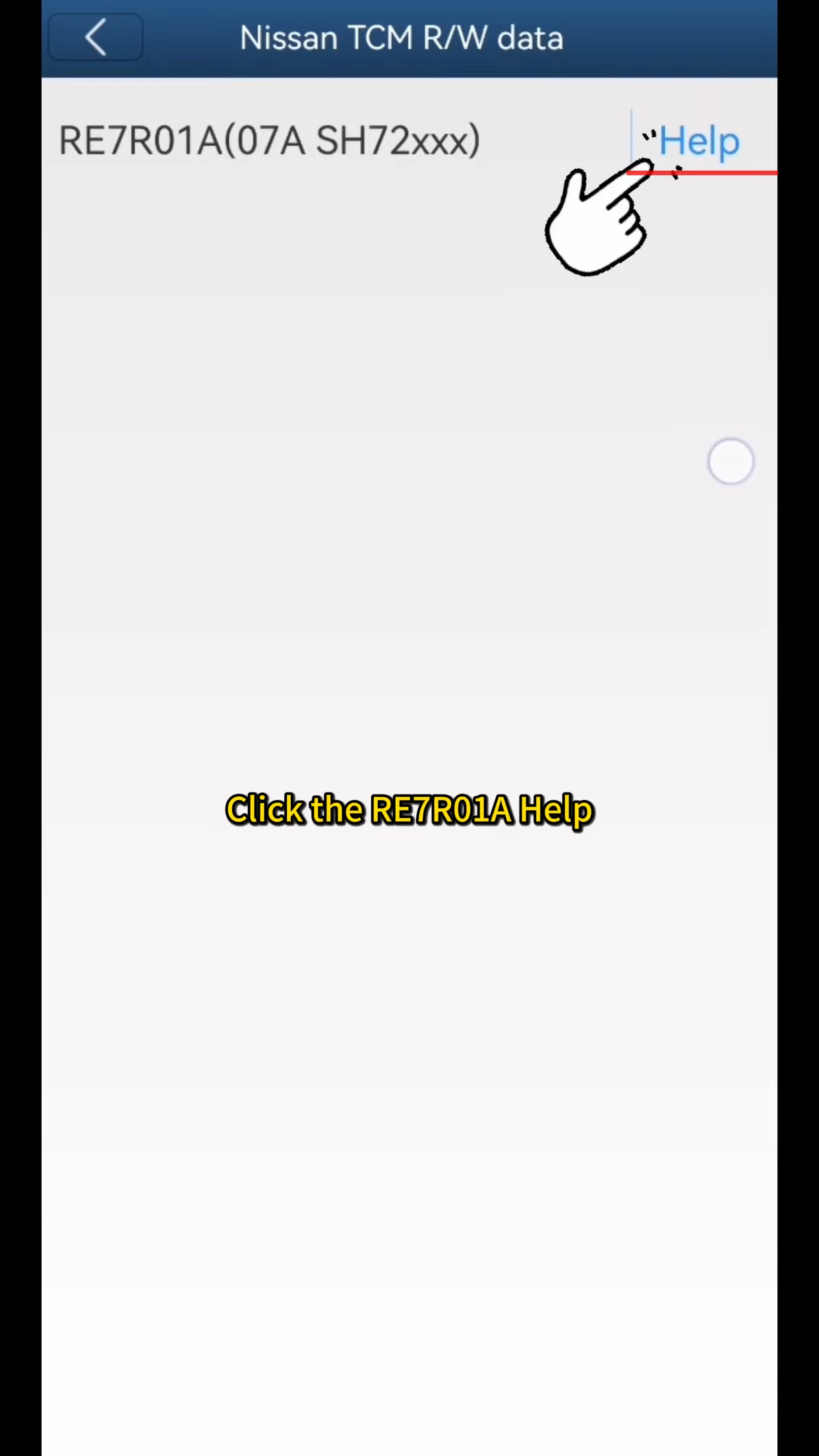
2. Select RE7R01A Help → Follow the connection diagram to properly connect the ACDP to the original gearbox TCU.
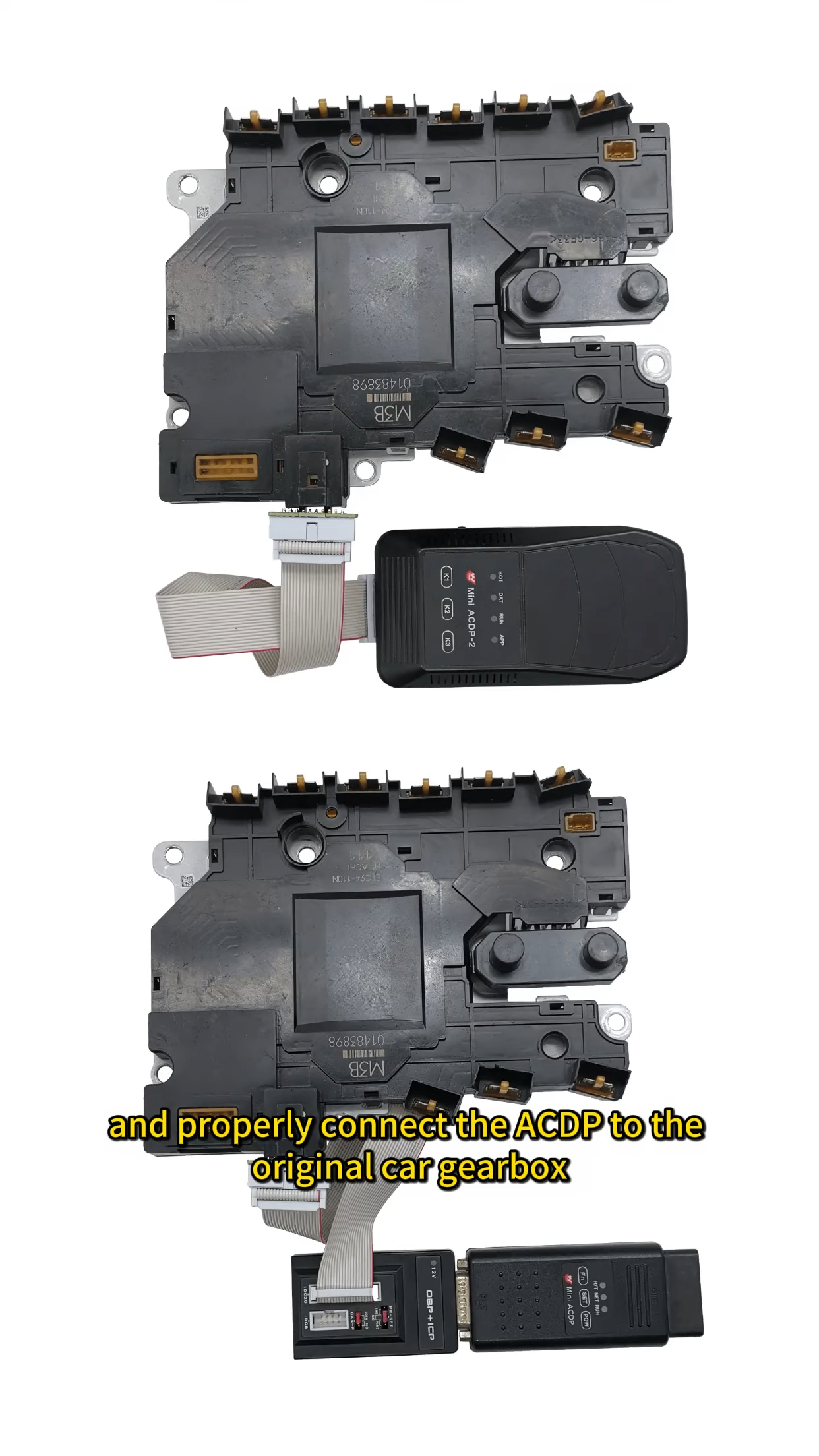
3. Return and select RE7R01A → Identify → OK → Continue.
4. Verify the identified information is correct → Take a screenshot → OK.
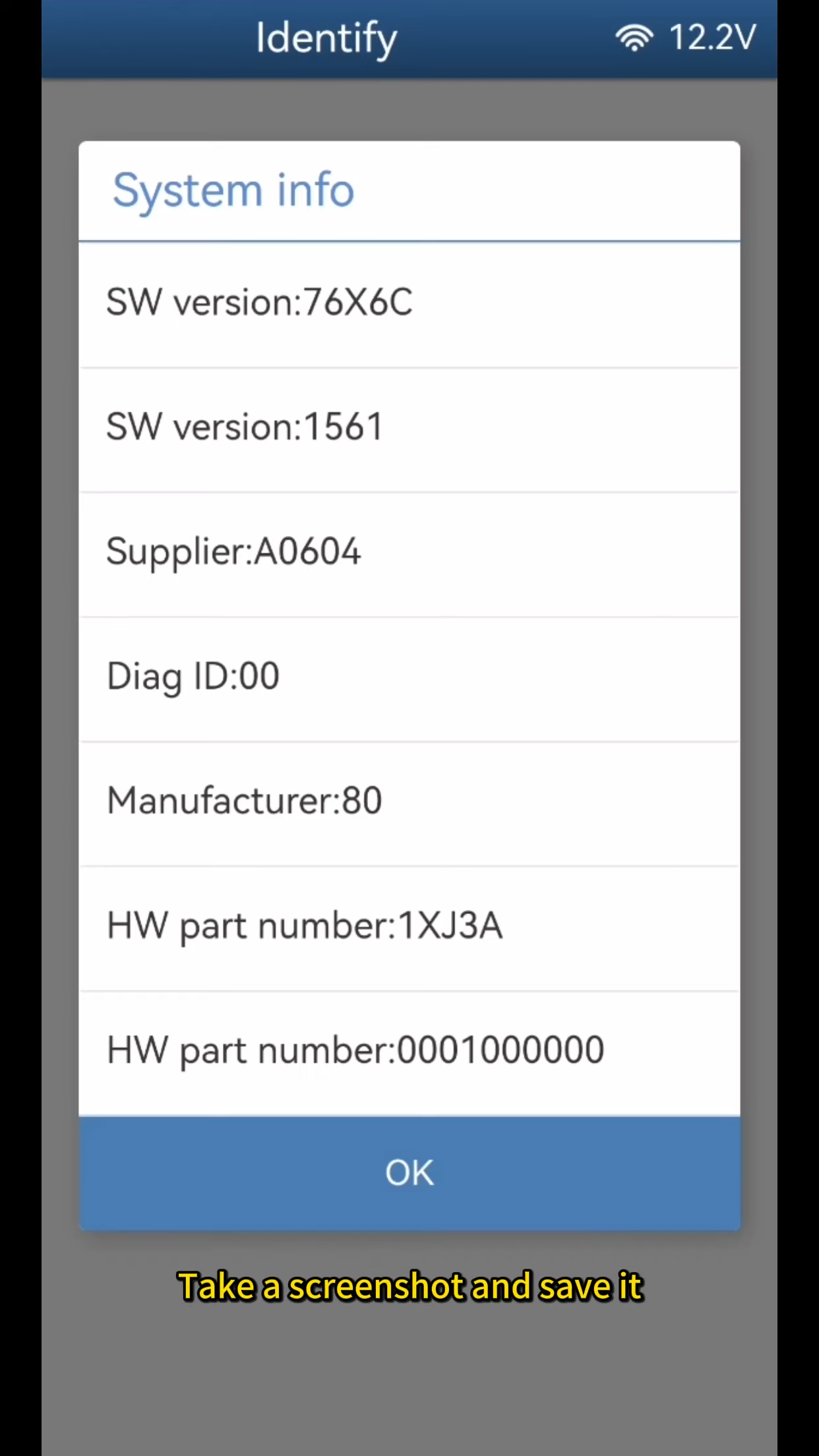
5. Select Read MAPS → Continue → Wait for “Reading chip data” to complete.
6. OK → Save the file (filename ends with MAPS.bin).
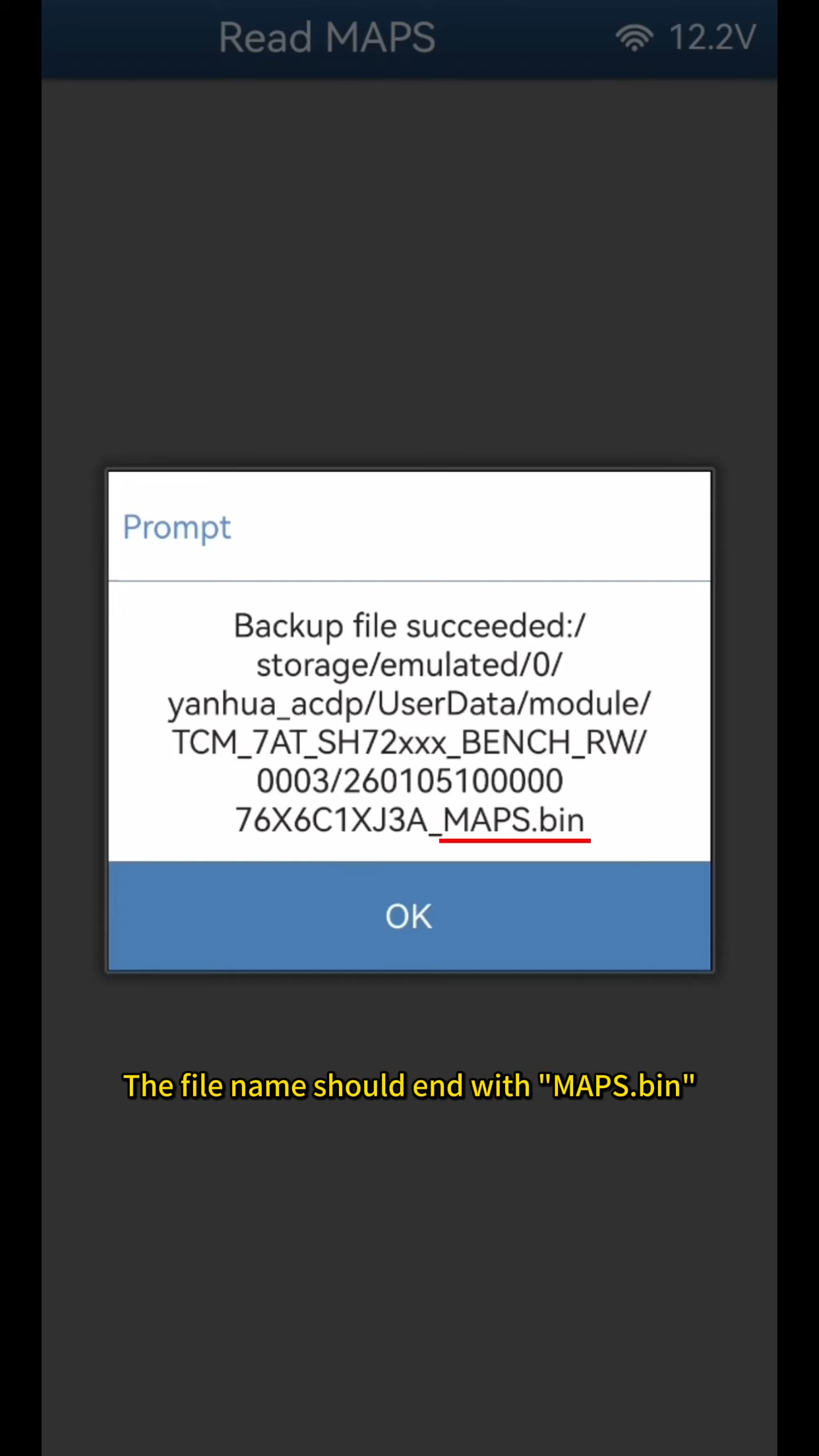
Note the backup path, date, time, and version number carefully.
Step 2: Write Data to Replacement Gearbox
1. Disconnect from the original gearbox.
2. Connect the ACDP to the replacement RE7R01A gearbox (same version).
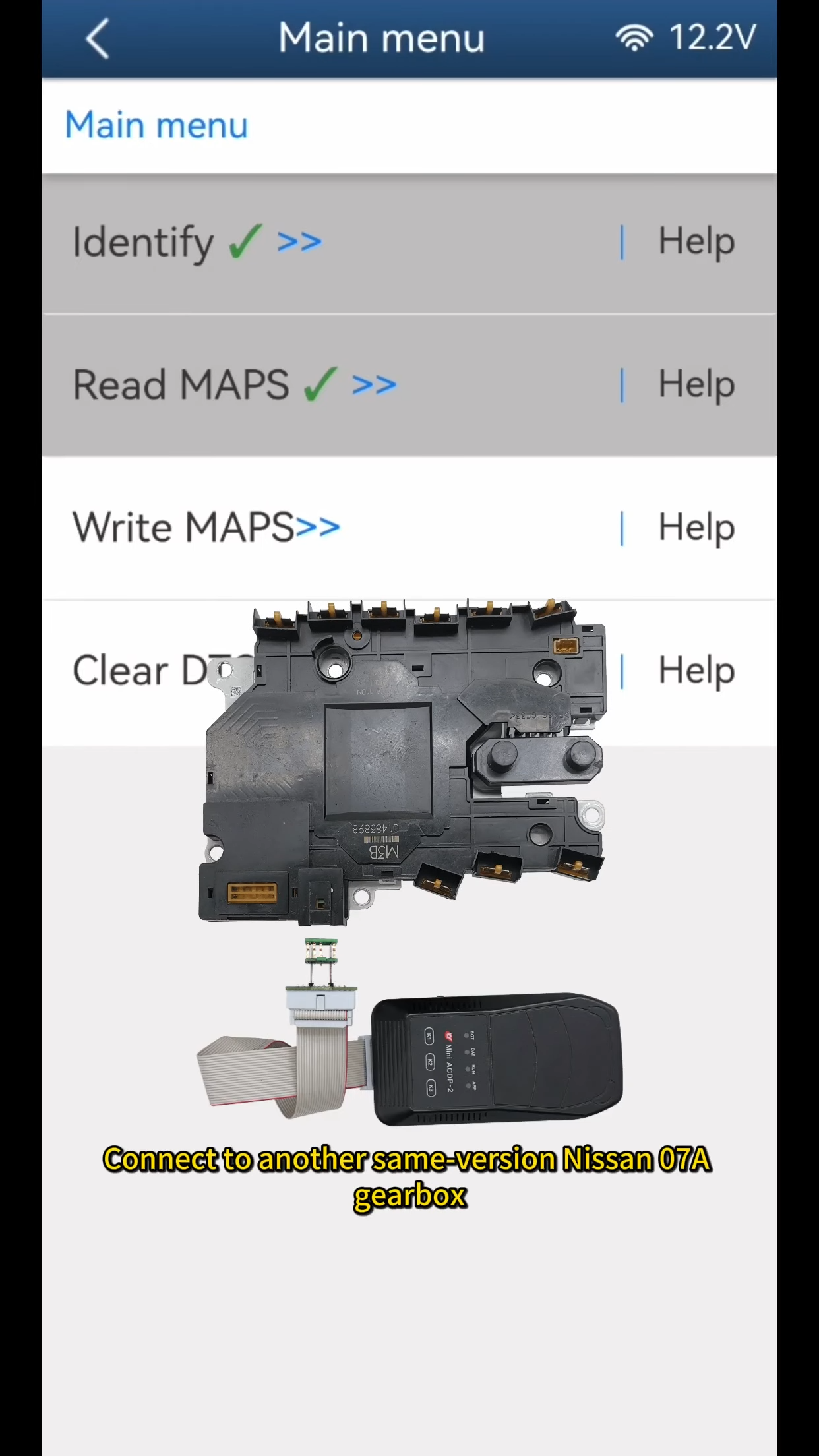
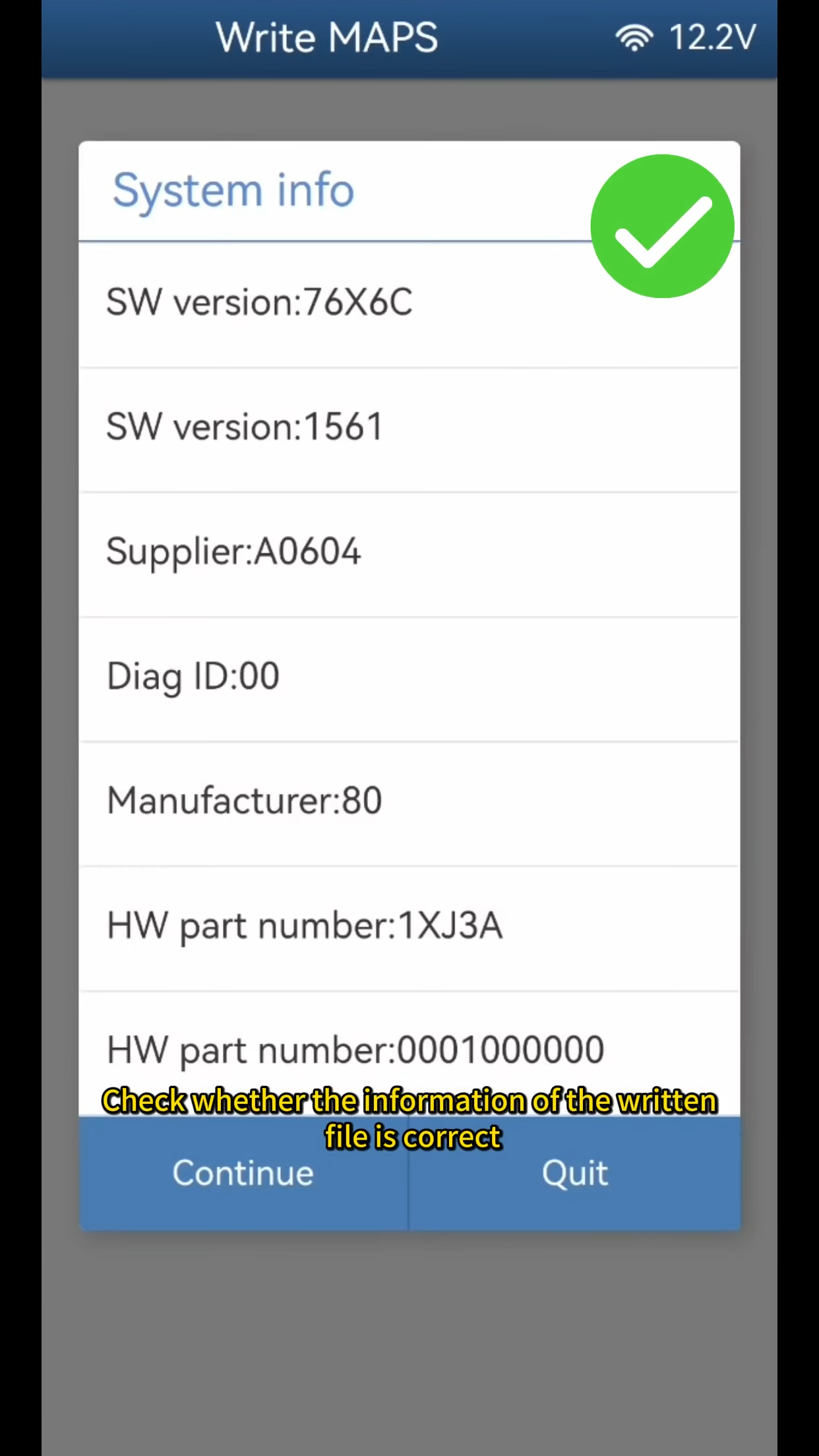
3. In the app, select Write MAPS → OK → Continue.
4. Verify the file information matches the original.
5. Continue → Select the previously saved MAPS.bin file (based on date/time/version).
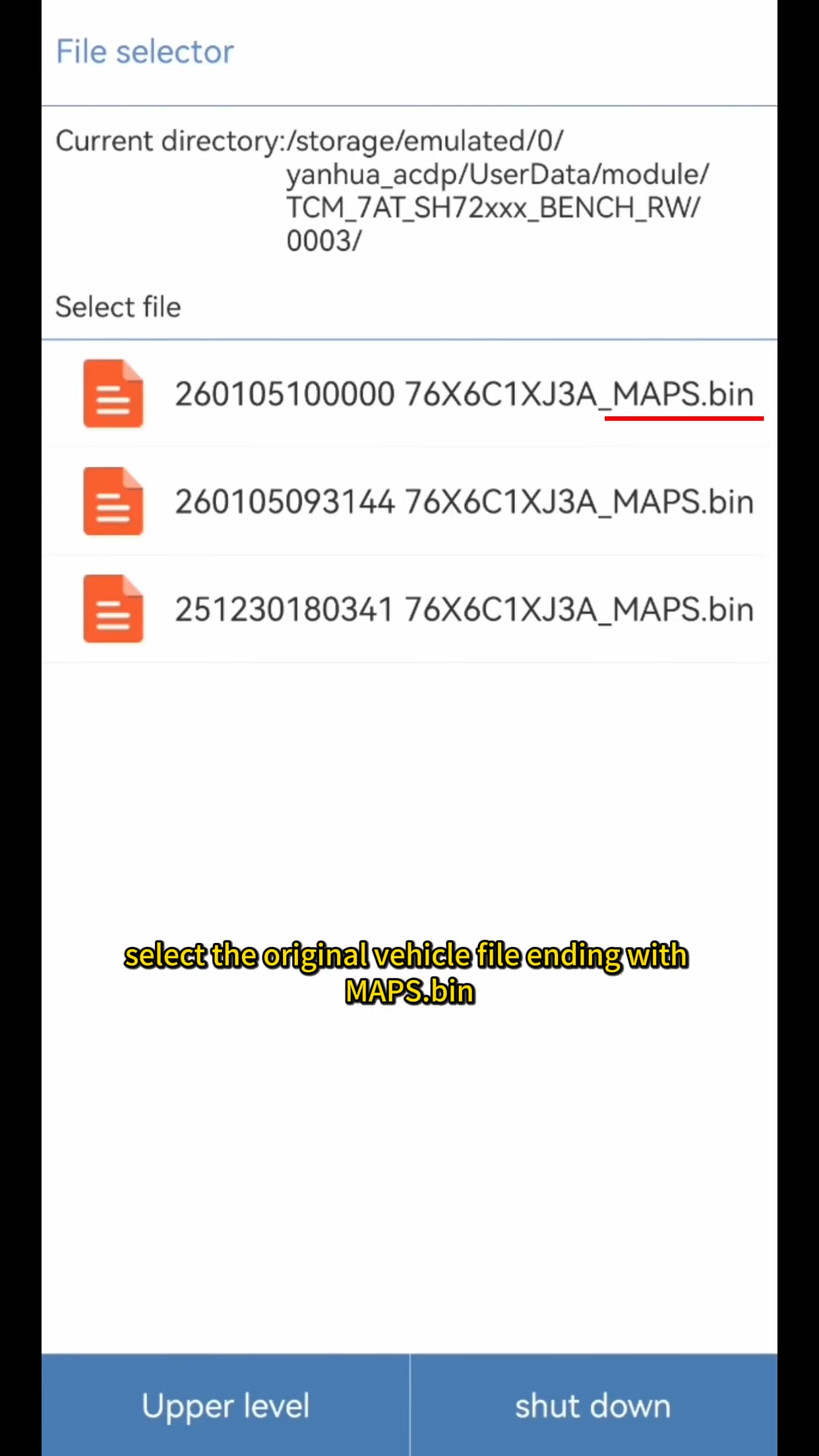
6. Confirm file details again → Continue.
7. Wait for “Write chip data finish” → OK.
The replacement gearbox TCU is now programmed and ready for installation. Always double-check connections and file versions to avoid errors.
Compatible with Yanhua Mini ACDP & ACDP Module43. Ideal for Nissan/Infiniti models with RE7R01A (07A) transmission.
