
In this quick guide, we’ll explain the Volkswagen key programming error, its causes, and step-by-step fixes to get your VW key job back on track.
Why Does the “CLK Not Connected” Error Happen in VW Key Programming
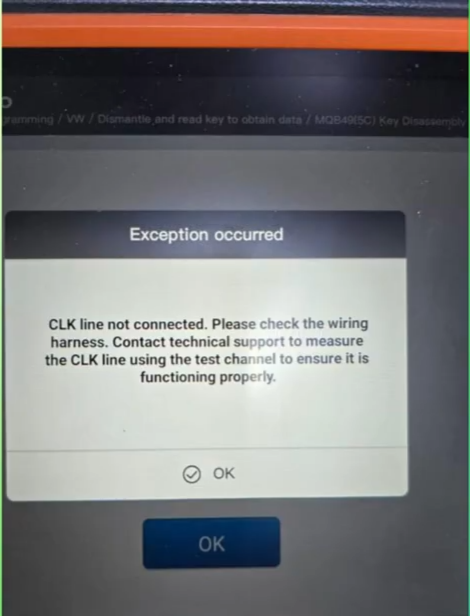
This error often strikes during VW all-keys-lost or duplicate key sessions on MQB/MQB49 platforms (e.g., Golf 8, Passat). Root causes include:
1. Faulty solder connections on the key PCB or module.
2. Tool incompatibility (e.g., mismatched adapters or outdated firmware).
3. Power supply issues – unstable voltage or poor grounding.
4. Encryption mismatches in the immobilizer system.
Ignoring it can waste hours, but with the right troubleshooting, it’s fixable without starting over.
Steps:
Here’s a proven workshop method to resolve the “CLK Not Connected” issue:
1. Do not rely on wire colors — always verify using the wire labels.
Check the CLK connection, which corresponds to pin 24 of the chip.
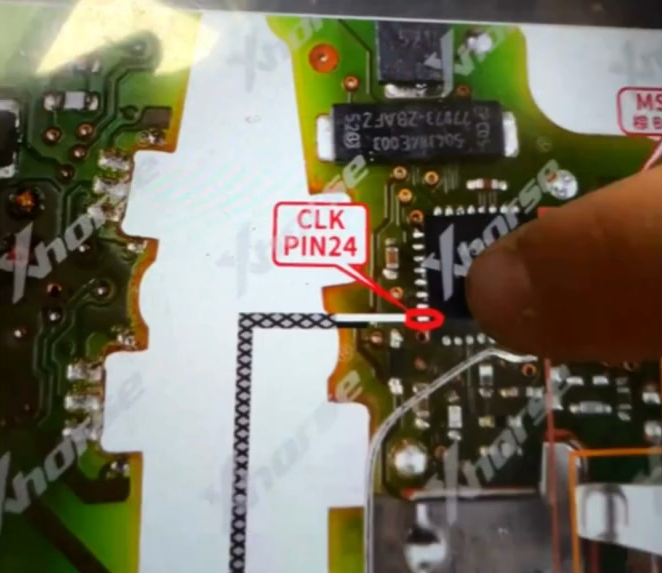
2. At this stage, key repair procedures are required.
Use a microscope to inspect the chip carefully and polish the damaged or cracked pin.
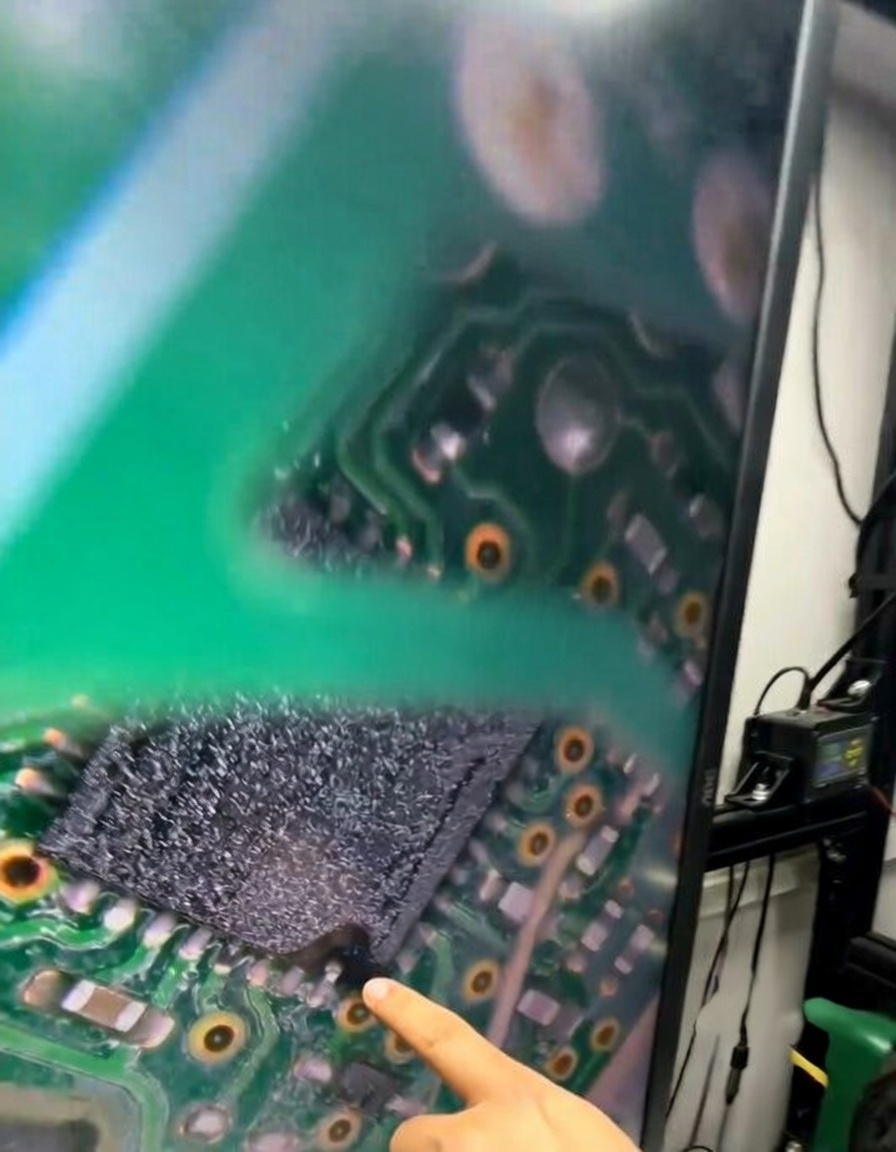
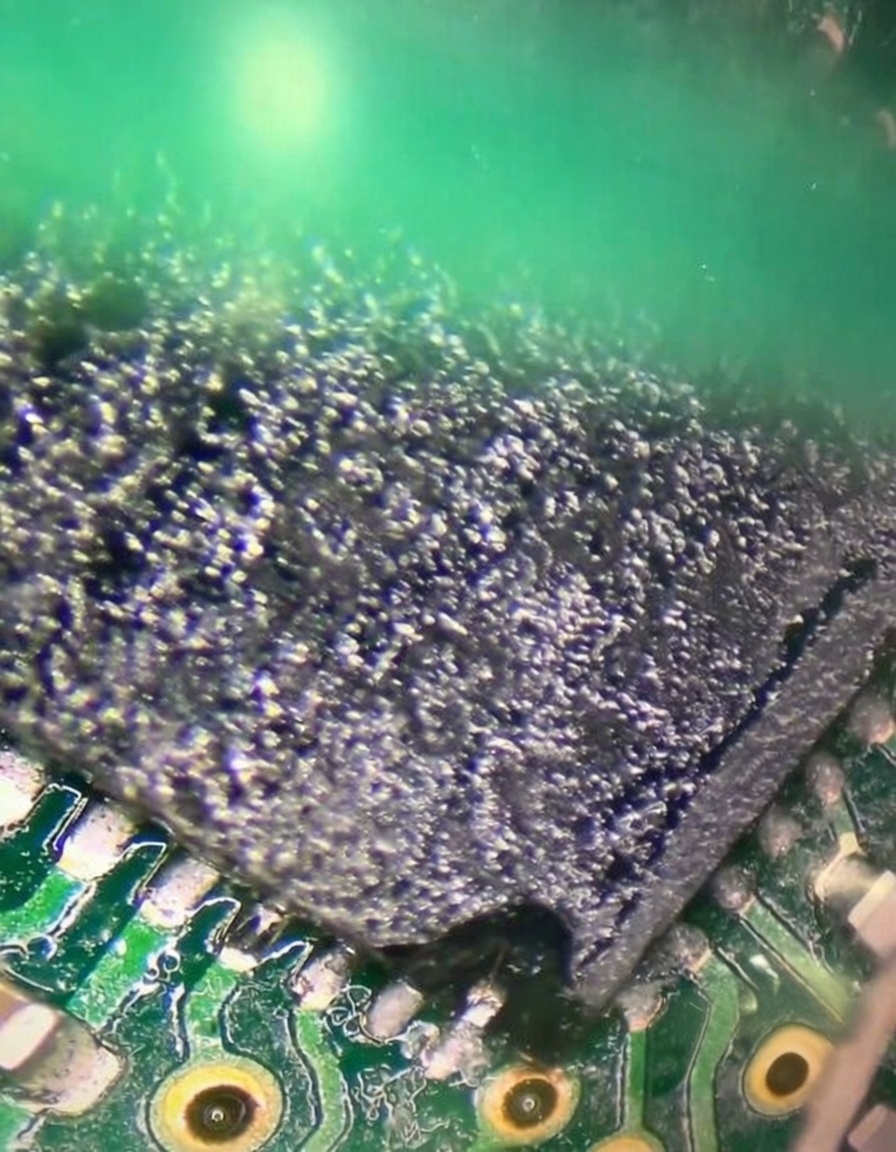
3. Reconnect the wire securely, or if using a 5C/5D solder-free adapter, connect a needle to press and stabilize the pin.
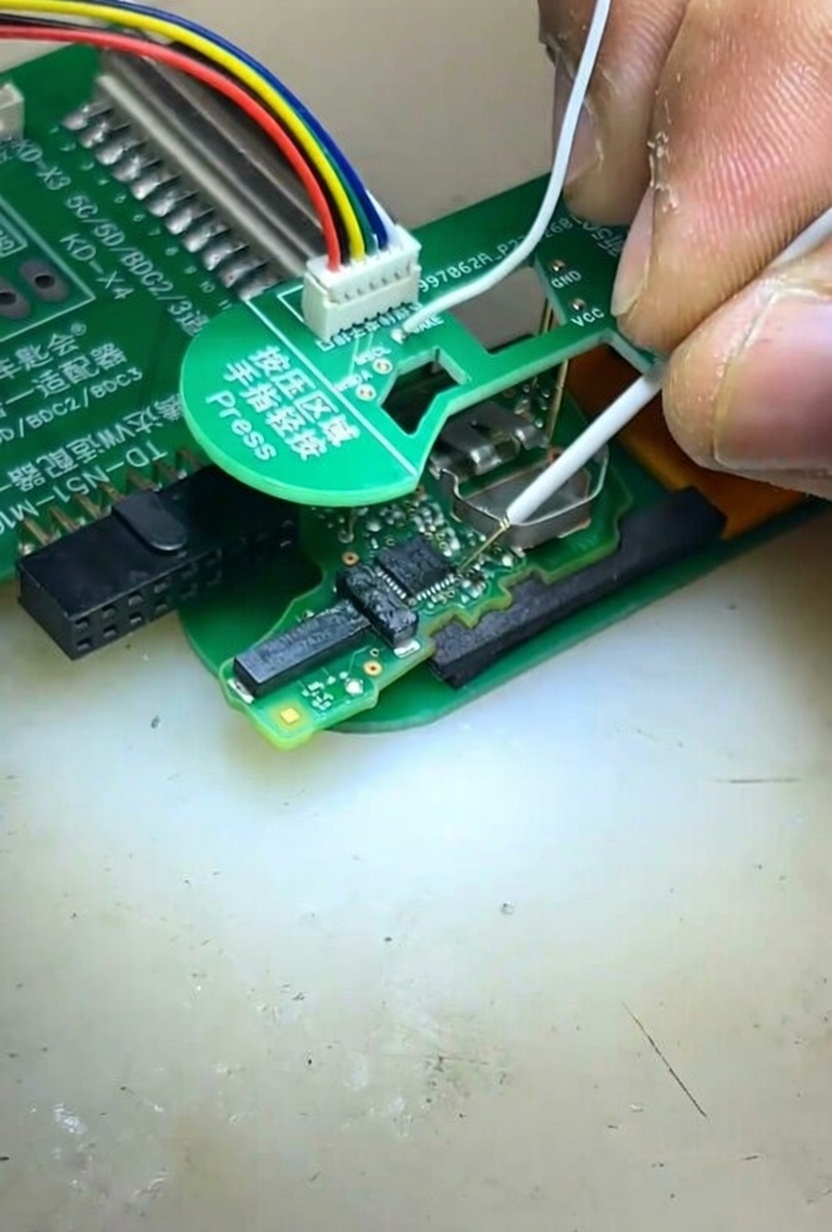
4. Once completed, VVDI Key Tool Plus will be able to read the original key data successfully.
Tips to Avoid Future VW Key Job Errors
- Always back up original data before programming.
- Use quality tools for Volkswagen immobilizer programming – avoid cheap clones.
- For 2026 models, check for AES/OTP updates in your programmer.
